
The biggest worry teachers have about ChatGPT is simple: students ask for the answer, copy it, and learn nothing. Study mode is OpenAI’s attempt to fix that. Instead of handing you the answer, ChatGPT asks you questions, gives hints and checks that you understand before moving on.
I think it’s one of the most useful AI features for students so far, as long as you use it the right way. Here’s what it does, how to turn it on, and how to get the most out of it.
What is ChatGPT study mode?
OpenAI introduced study mode on 29 July 2025. It’s a learning setting built on custom instructions that OpenAI says it developed with teachers, scientists and teaching experts. When it’s on, ChatGPT:
- Asks guiding questions and gives hints instead of jumping straight to the answer
- Breaks topics into smaller parts so you aren’t overwhelmed
- Adjusts to your level, using your questions and, where memory is on, earlier chats
- Checks your understanding with quizzes and open-ended questions
- Can be switched on or off at any point in a conversation
Who can use study mode?
At launch, OpenAI made study mode available to logged-in users on the Free, Plus, Pro and Team plans, with ChatGPT Edu following soon after. Universities such as California State University Northridge have since confirmed it’s available on their Edu accounts.
You need to be logged in. Study mode isn’t available if you use ChatGPT without an account.
How to turn on study mode
- Sign in to ChatGPT on the web, desktop app or mobile app.
- In the message box, open the Tools menu.
- Choose Study and learn.
- Type what you want to learn, for example “Help me understand photosynthesis for my Year 9 biology test.”
To turn it off, open Tools again and deselect Study and learn. Menus can look slightly different between the web and the apps, and OpenAI does move things around, so look for the Tools or plus (+) icon next to the message box.
How to get the most out of study mode
Study mode works best when you give it context and actually answer its questions. Prompts like these work well:
- “I have a test on the French Revolution on Friday. Quiz me one question at a time and explain anything I get wrong.”
- “Here’s my homework question. Don’t solve it. Give me a hint for the first step.”
- “Explain quadratic equations as if I’m 13, then check my understanding.”
- “I’ve written this paragraph for my essay. Ask me questions that help me improve the argument myself.”
Tell it your level, your goal and your deadline. The more context it has, the better its questions are.
Study mode vs normal ChatGPT
| Normal ChatGPT | Study mode | |
|---|---|---|
| Answers | Gives the full answer straight away | Guides you towards the answer step by step |
| Style | One complete response | Back-and-forth questions and hints |
| Checks understanding | Only if you ask | Built in, with quizzes and questions |
| Best for | Quick facts, drafting, summaries | Learning a topic, revising, homework help |
Limitations to know about
- It can still be wrong. Study mode runs on the same models as normal ChatGPT, so check facts, dates and formulas against your textbook or teacher.
- You can switch it off. Nothing stops a student from turning it off and asking for the answer. It only helps if you choose to use it properly.
- Its behaviour can vary. CSUN notes that study mode’s behaviour may be inconsistent across conversations.
- It doesn’t replace your teacher. Use it to practise and revise, not as your only source.
Using study mode honestly
Study mode makes it much easier to use AI the right way, but your school’s rules still apply:
- Check your school’s AI policy and your teacher’s instructions for each assignment.
- Don’t submit AI-written work as your own. Use study mode to understand, then write in your own words.
- Be open about it. If your teacher asks, explain how you used it.
For more on this, read my guides on how to use ChatGPT for school and whether AI detectors are accurate.
Frequently asked questions
Is ChatGPT study mode free? Yes. OpenAI made it available on the Free plan as well as Plus, Pro and Team.
Does study mode work on the ChatGPT app? Yes. It works on iOS, Android, web and desktop.
Can teachers see if I used study mode? Not directly. Teachers can’t see your chats unless you share them. Many teachers do encourage study mode because it supports learning.
Is study mode better than Google Gemini for studying? They have similar goals. Gemini has its own learning features, which I cover in my guide on Google Gemini for students. Use whichever your school allows.
Related guides on WebTechHelp
- How to use ChatGPT for school
- Are AI detectors accurate?
- Does Turnitin detect AI?
- Google Gemini for students
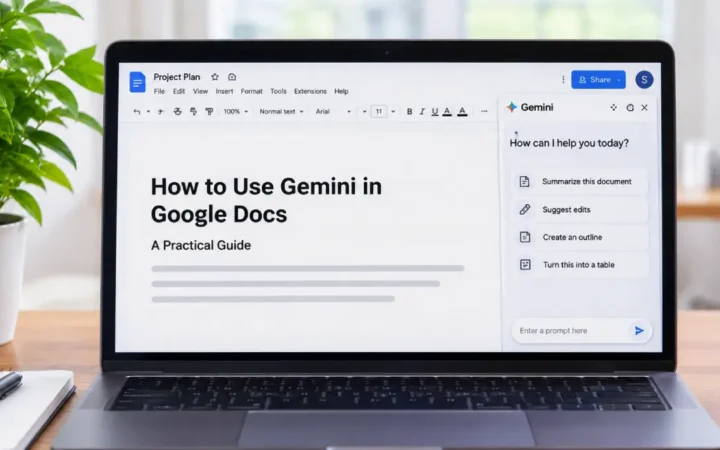
- How to use Gemini in Google Docs
Sources
- OpenAI: Introducing study mode
- OpenAI Help Center: Using study mode in ChatGPT
- CSUN Newsroom: ChatGPT Edu study mode now available
- Tom’s Guide: Use Study Mode instead of lazy answers