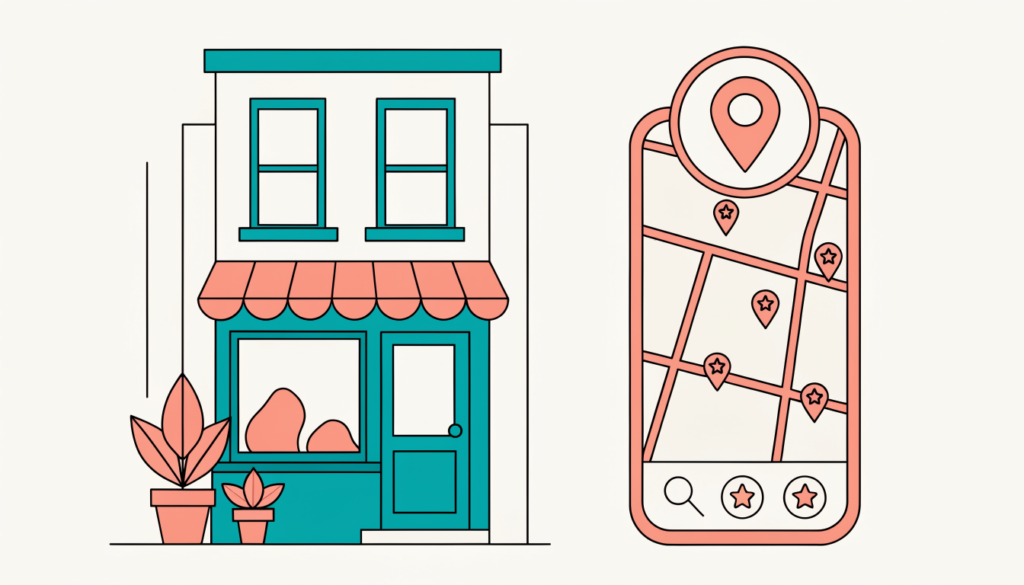
If you run a business that serves people in a particular town or city, a plumber, a dentist, a café, a coaching centre, most of your best customers start with a search like “near me” or “[service] in [city]”. Local SEO is the work of making sure you show up for those searches, in the Google map pack, in Google Maps and, more and more, in AI answers.
In this guide I’ll explain how Google decides which local businesses to show, then walk you through the steps that matter most. I’ve based it on Google’s own Business Profile help pages and the latest industry research, not guesswork.
What is local SEO?
Local SEO is search engine optimisation for searches with local intent. It covers three places your business can appear:
| Where | What it looks like | What drives it |
|---|---|---|
| Local pack (map pack) | The map with three businesses at the top of Google results | Your Google Business Profile, reviews, proximity |
| Google Maps | Results when people search in the Maps app | Same as the local pack |
| Local organic results | Normal blue links below the map | Your website’s content, links and on-page SEO |
A growing fourth place is AI search. BrightLocal’s 2026 Local Consumer Review Survey found that use of ChatGPT and other AI tools for local recommendations jumped from 6% to 45% of US consumers in one year. Those tools draw on the same signals: your profile, your reviews and what other websites say about you.
How Google ranks local businesses
Google is unusually open about this. Its help page on local ranking lists three main factors:
- Relevance: how well your profile matches what someone searched for.
- Distance: how far your business is from the searcher (or from the location in their search).
- Prominence: how well known your business is, based on things like links, articles and the number and rating of your reviews.
Google also says plainly: “There’s no way to request or pay for a better local ranking.” So be wary of anyone who promises guaranteed map rankings.
You can’t change your distance from customers. But you can improve relevance and prominence, and that’s where your effort should go.
What the experts rate most highly
Whitespark’s 2026 Local Search Ranking Factors survey asked 47 local SEO experts to score 187 factors. For the local pack, the top factors were:
- your primary Business Profile category
- the proximity of your address to the searcher
- keywords in your business name (only if they’re genuinely part of your name, more on this below)
- having a physical address in the city being searched
- whether you’re open at the time of the search (a new factor this year)
- a high Google star rating and plenty of reviews with text
The same survey added an AI search score for each factor and found that three of the top five AI visibility factors were citation factors, mentions of your business on other websites.
Step 1: Claim and complete your Google Business Profile
Your Business Profile is the foundation of local SEO. If you haven’t claimed it, go to Google Business Profile, search for your business and follow the steps to claim and verify it. Google says verified businesses are more likely to show in local results.
Then fill in everything:
- Business name: exactly as it appears on your signage. Don’t add keywords, it breaks Google’s guidelines and can get your profile suspended.
- Primary category: the most specific category that describes what you are (“Emergency plumber” rather than “Plumber” if that’s your core work). Add a few accurate secondary categories.
- Address or service area: show your address if customers visit you. If you travel to customers, hide the address and set a service area.
- Hours: regular hours plus special hours for holidays. Being “open now” matters.
- Phone and website: a local number and a link to the right page on your site.
- Services, products, attributes, photos and description.
I cover each section in detail in my guide to how to optimize your Google Business Profile.
Step 2: Build a steady flow of genuine reviews
Reviews influence both rankings and whether people choose you. BrightLocal’s 2026 survey found that 97% of consumers read reviews for local businesses, 74% only care about reviews from the last three months, and 89% expect the owner to respond.
What works:
- Ask every happy customer. Google lets you share a review link or QR code from your profile. Put it on receipts, emails and a card at the counter.
- Ask at the right moment, right after a job is done or a purchase goes well.
- Reply to every review, positive and negative. Keep replies helpful and calm.
- Aim for consistency. A few new reviews every month beat a burst of 50 and then silence.
What not to do: Google’s policies prohibit offering discounts, gifts or payment for reviews, asking only happy customers (selective solicitation), having staff review the business, or buying reviews. Breaking these rules can get reviews removed or your profile restricted.
Step 3: Make your website local-friendly
Your website still matters, especially for organic results and for AI tools that read it.
- Put your name, address and phone number (NAP) in the footer or on the contact page, matching your profile exactly.
- Create a page for each core service, and if you serve several towns, a genuinely useful page for each area (with local details, not the same text with the town name swapped).
- Use local wording naturally in titles and headings, such as “Wedding photographer in Kolkata”. My on-page SEO checklist covers titles, headings and internal links.
- Add LocalBusiness structured data (schema) with your name, address, phone, hours and URL. Google’s documentation shows how in JSON-LD format.
- Embed a Google map on your contact page.
- Answer common questions on your site (prices, areas served, how long jobs take). Google’s AI answers often pull from this.
- Make it fast and mobile-friendly. Most local searches happen on phones. See my guide to improving Core Web Vitals.
Step 4: Build citations and local mentions
A citation is any mention of your business name, address and phone on another website: directories, industry sites, local news, chambers of commerce. They help Google confirm you’re real, and they appear to matter even more for AI search.
- List your business on the main directories for your country (for example Bing Places, Apple Business Connect, Yelp, Facebook, and local directories such as Justdial in India).
- Get listed on industry-specific sites (for example legal, medical or trade directories).
- Keep your details identical everywhere. Old addresses and phone numbers confuse customers and search engines.
- Earn local links and mentions: sponsor a local event, partner with nearby businesses, get featured by local news or bloggers.
Step 5: Keep your profile active
Google’s Business Profile lets you publish posts (updates, offers and events) and add photos. Posts don’t have a proven big ranking effect, but they keep your profile fresh, give people reasons to choose you, and Google archives posts after six months unless you set dates. I try to treat it like a mini social channel: one useful update or photo a week is plenty.
Note that Google has removed the old public Q&A section from Business Profiles. In the Maps app it’s being replaced by AI answers that draw on your profile, reviews and website, so keeping those detailed and accurate matters even more.
Step 6: Track your results
- Business Profile Performance: shows searches, views, calls, website clicks and direction requests.
- Google Search Console: shows which local queries bring people to your site. See my Google Search Console tutorial.
- Google Analytics 4: tag your profile’s website link with UTM parameters so you can see that traffic separately. My GA4 tutorial explains how.
- Rank tracking: local rankings change street by street, so a grid-based rank tracker gives a truer picture than a single search from your office.
Common local SEO mistakes
- Stuffing keywords into the business name.
- Using a virtual office or P.O. box as your address (not allowed by Google).
- Creating duplicate profiles for the same location.
- Ignoring negative reviews.
- Inconsistent name, address or phone across the web.
- Building dozens of thin “city pages” with copied text.
Frequently asked questions
How long does local SEO take? A fully completed, verified profile can start appearing within weeks. Building reviews, citations and prominence is a slow, steady process that usually shows clearer results over three to six months.
Can I do local SEO without a physical address? Yes. Service-area businesses can hide their address and set a service area. You’ll compete mainly on relevance and prominence, so reviews and citations matter more.
Does local SEO cost money? Your Google Business Profile is free. You can do most local SEO yourself; paid tools and agencies mainly save time on tracking and citation building. See my list of local SEO tools.
Is local SEO different from regular SEO? It uses the same foundations, but adds your Business Profile, reviews, proximity and citations. If you’re new to SEO, start with my keyword research guide to find the local terms people actually search for.
Related guides on WebTechHelp
- How to optimize your Google Business Profile
- Technical SEO audit checklist
- Google Ads for beginners
- How to build your business online presence
Sources
- Google Business Profile Help: How to improve your local ranking on Google
- Google Business Profile Help: Guidelines for representing your business on Google
- Google Maps: Prohibited and restricted content (fake engagement)
- Google Search Central: Local business structured data
- Whitespark: Local Search Ranking Factors 2026
- BrightLocal: Local Consumer Review Survey 2026
- Whitespark: With Google Q&A gone, you need a Maps “Ask a question” strategy