
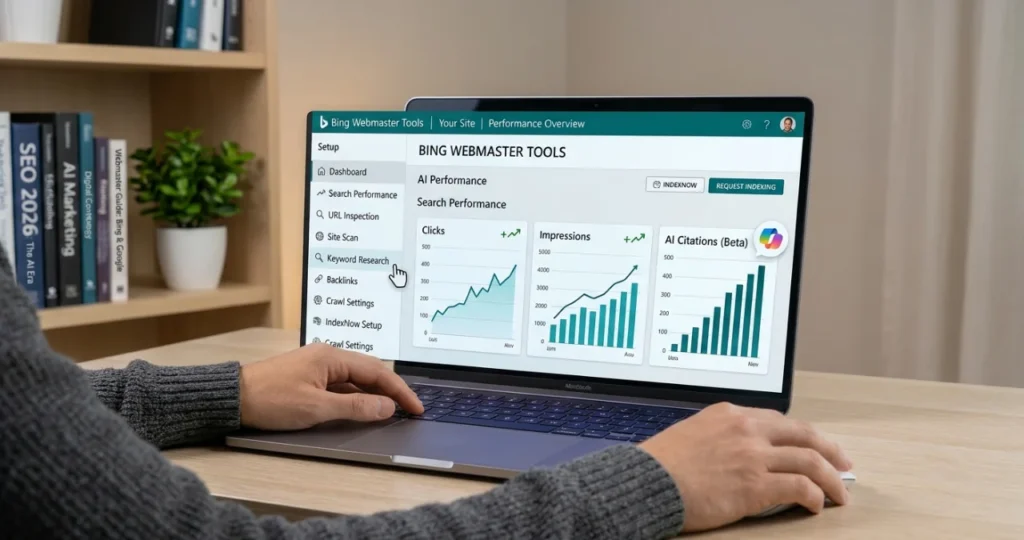
Most site owners set up Google Search Console and stop there. That leaves a gap. Bing powers Microsoft’s own search, feeds results into Microsoft Copilot and is used by other search and AI products too. Bing Webmaster Tools is Microsoft’s free service for seeing and improving how your site appears across all of that.
It takes about ten minutes to set up, especially if you already use Search Console, and it includes a few things Google’s tool doesn’t, such as built-in keyword research, a backlink report and an AI citations report. Here’s how to get started.
If you haven’t set up Google’s tool yet, do that first with my Google Search Console tutorial.
Why bother with Bing?
- Extra search traffic. Bing’s share is smaller than Google’s, but the visitors are real, and many sites see Bing as a steady second source.
- AI visibility. Microsoft’s AI experiences, including Copilot, rely on Bing’s index. If Bing can’t crawl and index your pages, they’re less likely to be cited. My guide to SEO for AI search covers this in more detail.
- Different data. Bing shows you its own view of crawl errors, backlinks, and keywords, which can reveal problems Google’s reports don’t.
Step 1: Add and verify your site
Go to bing.com/webmasters and sign in with a Microsoft, Google, or Facebook account. You can verify ownership in several ways:
| Method | Best for |
|---|---|
| Import from Google Search Console | Fastest if your site is already verified in GSC; imports sites and sitemaps |
| DNS (CNAME) or Domain Connect | Robust; survives theme and plugin changes |
| XML file | Upload BingSiteAuth.xml to your site’s root |
| Meta tag | Add the msvalidate.01 tag to your homepage <head>; SEO plugins have a field for it |
Keep the verification method in place afterwards; otherwise, you can lose access.
Step 2: Submit your sitemap
Go to Sitemaps > Submit sitemap and enter your XML sitemap URL (for Yoast it’s usually /sitemap_index.xml). If you imported from Search Console, your sitemaps may already be there. Also make sure your robots.txt has a Sitemap: line. My robots.txt and sitemap guide explains both files.
Step 3: Set up IndexNow
IndexNow is an open protocol that lets your site notify participating search engines the moment a URL is published, updated, or deleted, instead of waiting for them to recrawl. Bing, Yandex, Seznam, Naver, and Yep participate. Google does not.
How to use it:
- WordPress: Rank Math’s Instant Indexing module supports IndexNow, Yoast offers it in Premium, and Microsoft publishes an official IndexNow plugin.
- Other platforms: many CMSs and CDNs (such as Cloudflare) offer IndexNow integrations.
- Check submissions under IndexNow in Bing Webmaster Tools.
IndexNow speeds up discovery, but it doesn’t guarantee indexing. Each search engine still decides whether to index a page.
Step 4: Use the main reports
Search Performance
Shows clicks, impressions, average position, and CTR for your pages and keywords on Bing. Compare it with Google Search Console to see which pages perform differently on each engine.
URL Inspection
Enter a full URL to see whether it’s in Bing’s index, run a live test, and check SEO issues and detected structured data. After fixing a real problem, you can request indexing.
Site Scan
An on-demand technical audit that crawls your site (or a sitemap or URL list) and reports errors and warnings: missing titles, broken links, slow pages, duplicate meta descriptions, and more. It’s a useful free alternative to paid crawlers for small sites, and it fits neatly into a technical SEO audit.
Recommendations
Bing’s prioritised list of SEO issues found on your site, with explanations of how to fix them.
Keyword Research
Enter a topic to see related keywords, questions and trends from Bing search data, filtered by country, language and device. It’s a free extra input for your keyword research, but remember the volumes are Bing’s, not Google’s.
Backlinks
See which domains and pages link to you, with their anchor texts. You can also check backlinks to competitor sites. My link building guide explains what to do with this data.
AI Performance
Microsoft introduced the AI Performance report as a public preview in February 2026. It shows how often your pages are cited in supported Microsoft AI experiences, including Copilot, with metrics such as total citations, cited pages, and the queries that led to citations. It doesn’t measure clicks or visits, and the data is sampled, but it’s one of the few official sources of AI citation data from a major search provider.
Step 5: Check crawl settings
Under Configuration, you can adjust crawl control to tell Bingbot when to crawl more or less (useful if your server is busy at certain hours), block URLs temporarily, and review URL parameters. Most small sites can leave the defaults.
A simple monthly routine
- Check Search Performance for changes in clicks and top pages.
- Review Recommendations and fix high-priority issues.
- Run Site Scan after major changes, such as a redesign or site migration.
- Look at AI Performance to see which pages get cited.
- Confirm IndexNow submissions are working.
Frequently asked questions
Yes, it’s free with a Microsoft, Google, or Facebook account.
It’s optional, but worth it. It’s quick to set up via import, and it covers Bing and Microsoft’s AI experiences, which Google’s tool doesn’t.
No. Google doesn’t participate in IndexNow. Use sitemaps and internal links for Google.
Does good Bing SEO differ from Google SEO? The fundamentals are the same: crawlable pages, helpful content, clear titles, fast loading, and good links. Bing’s reports simply give you a second view.
Related guides on WebTechHelp
- Google Search Console tutorial
- SEO for AI search
- Robots.txt and XML sitemaps explained
- Technical SEO audit checklist
- Page not indexed? How to fix indexing issues
Sources
- Microsoft Bing: Add and verify your site
- Bing Webmaster Blog: Introducing AI Performance in Bing Webmaster Tools (public preview)
- IndexNow.org
- Gaurav Tiwari: Bing Webmaster Tools guide: setup, IndexNow and AI Performance