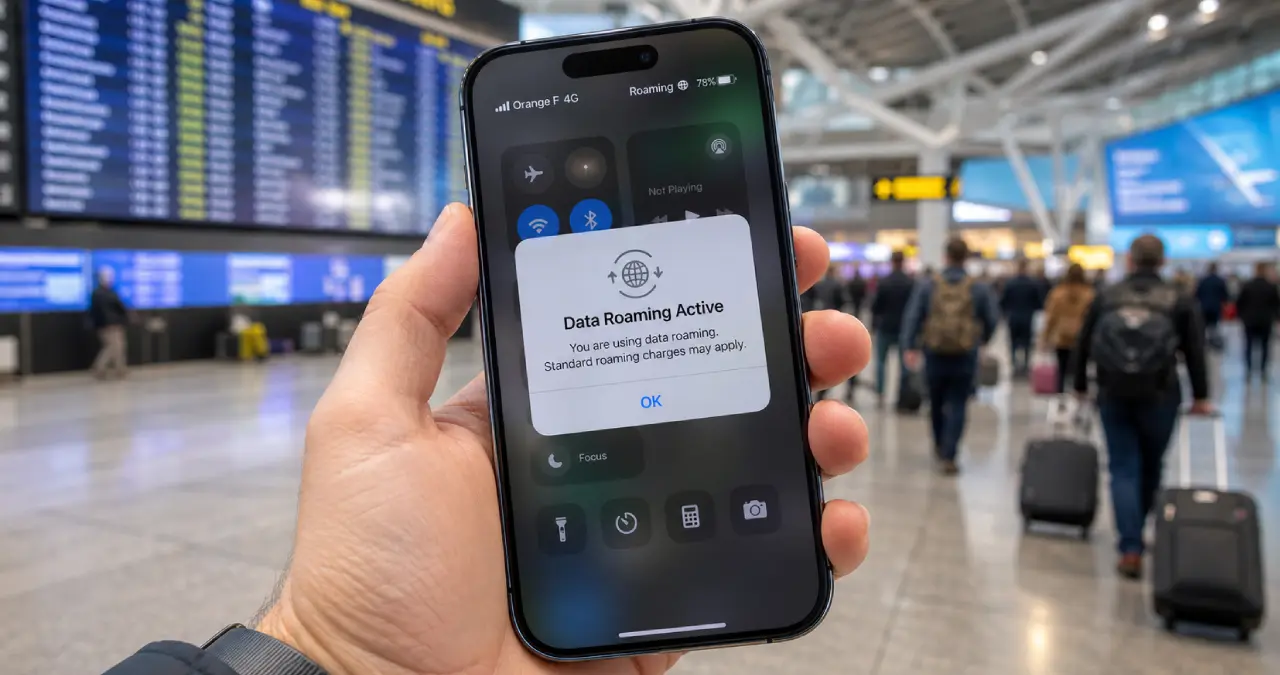
If you are going on a trip and suddenly see a data roaming message on your phone, you are not alone. It does not matter whether you are travelling somewhere by plane or just crossing your state line by any means of transport; your phone will show a data roaming message. Now you surely have a question popping into your mind: what data roaming actually is, and why it appears so?
Data roaming is nothing but a feature of your mobile device, showing you are traveling outside the coverage area of your mobile network. Data roaming actually happens when you reach somewhere outside of the carrier’s network coverage, resulting in roaming charges until or unless you have a roaming plan or alternatives.
Here in this Webtechhelp blog. I will shed light on Data Roaming insight, how it works, issues of data roaming, alternatives to it, and much more.
What is Data Roaming?
Data roaming is a mobile feature that helps you access online apps and the internet while you travel outside your carrier’s network coverage. This data roaming feature helps you to utilise your local network that has a partnership with your mobile carrier.
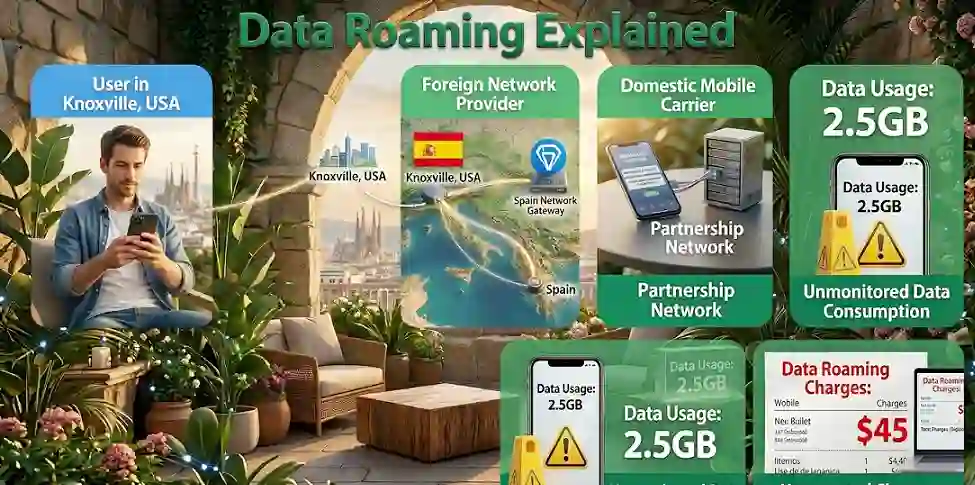
Without having a data roaming plan, users can bear the expense of data roaming charges. It would lead you to face unpredictable or even some unnoticed charges when the time to pay your mobile bill comes. Let me explain this to make it easy for you to understand. Suppose you are in Knoxville, the third-largest city in Tennessee, USA, and jetted off to Barcelona, Spain.
During your journey, you incur data roaming charges unless an international data roaming plan is activated on your device. So when you are jetting off from your current location to somewhere beyond your domestic territory, you may experience a foreign provider gaining access to your device, tracking your data usage, and informing your carrier about the amount of data you have consumed so far.
How Does Data Roaming Work?
The data roaming process works based on the existing partnership between the suppliers of mobile networks. Suppose you are a visitor who jetted off to your network coverage area and suddenly came to a place beyond the reach of your carrier network. Then what would supposedly happen?
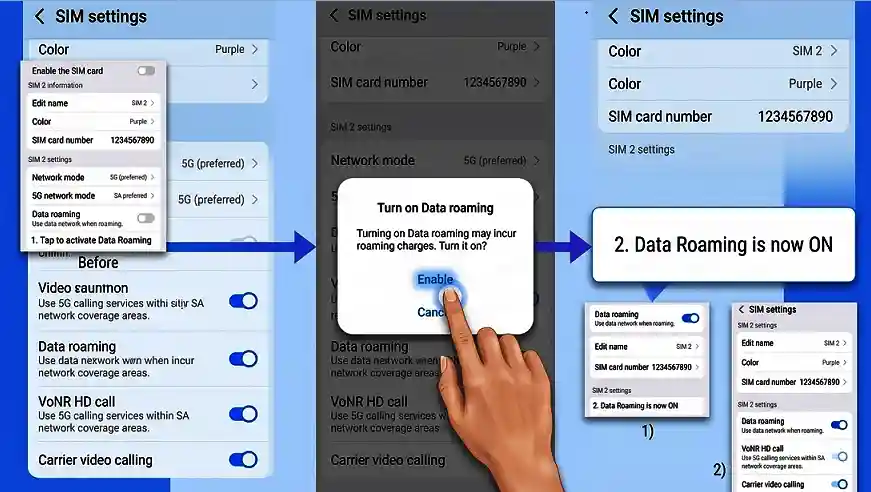
Here’s how the data roaming concept comes forward, letting you connect with a different Network to call someone or access the internet. Let’s have a look at the stepwise process to make it clear how the data roaming works for your device beyond your carrier network’s reach.
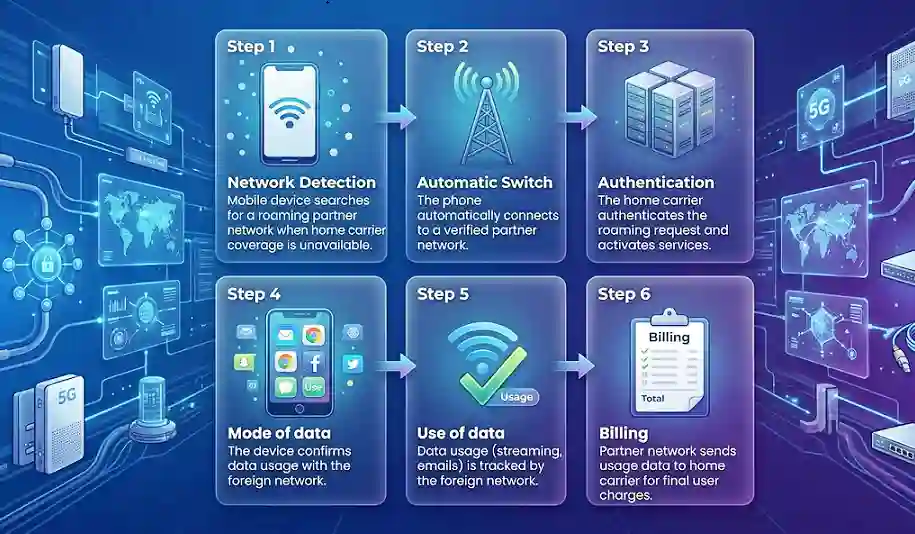
- Network detection: Suppose you are traveling somewhere where your carrier network cannot reach, then your mobile will search for an available network to connect further.
- Automatic Switch of Network: After the network detection, your phone identifies and connects with the local network of interest that is partnering with your carrier network to give you access to your internet data and calling facility.
- Authentication: Now the carrier would give the data roaming confirmation and authenticate the user by allowing them to roam, and also give the activation of roaming services.
- Mode of data: Now the device confirms that the data usage is inextricably linked with the foreign network.
- Use of data: The online activities of the user are accessed by the foreign network to gain an overview of the network data consumption, either for streaming video, email checking, or any activity of app navigation.
- Billing: The partner network receives all details of network usage from the user and sends them to the carrier network to impose charges for roaming services. The charges for data roaming need to be paid by the user during the final billing process.
This is how the data roaming process actually works.
Downsides of data roaming
There are some pertinent data roaming issues arising because of expensive fees, unreliable coverage, data limitations, and hidden costs. Let’s have a look at each in the table below with their quick summary details to know potential issues with data roaming.
| Downside | Quick Summary |
| Expensive Fees | Roaming charges can be radically high. Even a single digital megabyte of data can incur several dollars in cost. Streaming videos or navigating apps can render hefty bills. |
| Data Limitations | Strict data caps abroad, often much lower than your home plan. It is primarily to prevent bill shock and unnecessary overuse of network data for other carriers. |
| Unreliable Coverage | Depends on local partner networks. Coverage can be poor or unavailable in rural and remote areas. |
| Hidden Costs | Background apps & notifications can consume data automatically, leading to hefty charges. |
Domestic vs International Data Roaming
Domestic roaming happens while you reside in the home country of the service provider, but are unable to connect with your carrier network provider due to limited coverage. Unlike international roaming, it does not require bearing any extra charges.
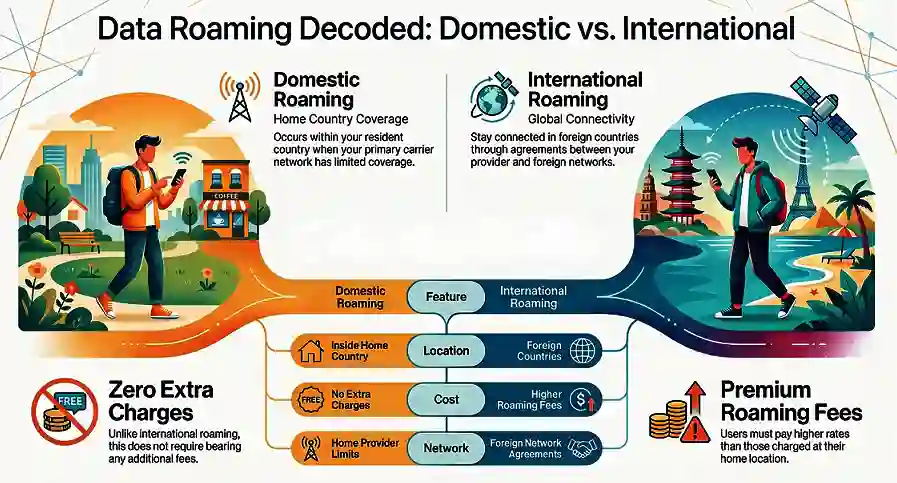
International roaming, on the other hand, involves jetting off to another country beyond your home country’s reach. In the scenario, a foreign network agreement helps to stay connected with accessibility for text, data, and calls. In international roaming, you need to bear the higher roaming charges you pay at your home location.
Should Data Roaming Be On or Off?
Are you worried and feel intimidated while thinking about hefty data roaming charges? Essentially, keeping the data roaming off is a judicious move to bypass the expense of unpredictable data roaming charges. Another factor worth considering is the battery drain possibility that would create inconvenience with data roaming on. You always need to keep your bird’s-eye view on data usage, no matter whether you like to toggle it or want to leave the feature on all the time.
How to turn data roaming off or on
If you don’t want to make data roaming become intimidating for you with the hefty price of roaming charges, you need to have an idea of how to enable or disable them by simply turning them on and off, respectively. Let’s have a look at the steps for both Android and iPhone to turn them on and off.
How to turn data roaming off and on with Android
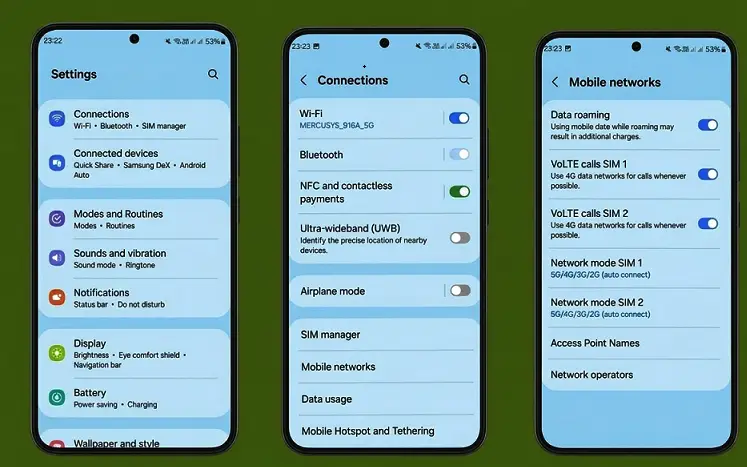
- Open Settings from your Android device
- Now you need to tap on the “Connections” option
- Choose the option Mobile networks
- Now you have to select the Data roaming option. If you want to turn it off, you can simply toggle the switch to the left. Otherwise, if you want to turn it on, you just swipe to the right to enable data roaming.
| Note: Steps may vary by Android manufacturer. Search ‘Data Roaming’ in your Settings search bar as a universal shortcut. |
How to turn data roaming off and on with iPhone
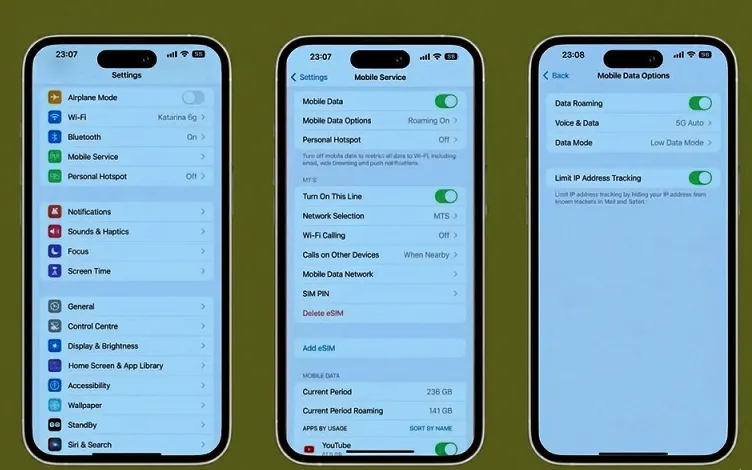
- Open Settings from your iPhone
- Now you need to tap on Cellular
- Choose the cellular data option
- Now you just tap the Data roaming slider to turn it off (white) or on (green)
Alternatives to Data Roaming
Go through four pertinent data roaming alternatives to avoid charges for roaming while jetting off to another country.
| Alternatives | Pros | Cons | Best For |
| eSIM | Easy setup & affordable | Needs a compatible phone | Most travelers |
| Pocket Wi-Fi | Convenient for groups & remote areas | Expensive | Families or remote travel |
| Local SIM | Cheapest data | Time-consuming & hassle with setup | Long stays in one country |
| Public Wi-Fi | Completely free | Unreliable, security risks | Short use in cities & hotels |
How to avoid charges in data roaming
The multifaceted approach helps users to avoid unnecessary charges for data roaming
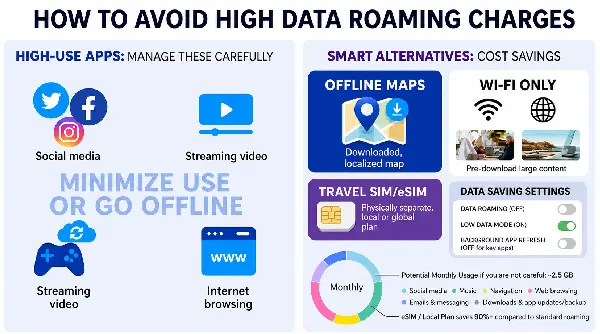
- Disable the background app or data to evade unnecessary data wastage. For instance, during a trip, you can download a map of your destination and use the map offline to evade unnecessary data charges. In your settings, turning on low data mode also helps you to avoid high charges for data roaming.
- Turn off automatic downloads, software updates, and other activities that demand high data usage. You can use wifi to pre-download any larger content, it may be any video or movie, to enjoy it offline without putting a strain on data usage.
- Usage of the data calculator helps you determine how much data you use. A data usage calculator helps you to gain an idea of your monthly data usage estimation based on your daily data usage habits stemming from video streaming, browsing, and other activities that use data. This calculator helps to calculate your hourly, monthly, or weekly activity of that usage and how much you spend. Based on the information, you can build a data roaming plan that suits your demand for data usage.
Wrapping up
In a nutshell, having an idea of the meaning of data roaming helps you to plan a trip when you are travelling somewhere by plane or just crossing your state line in a hassle-free manner. User need to be vigilant and always keep a close eye on data usage to never face any hefty data charges due to data roaming.
Frequently asked questions (FAQs)
No, they are not the same. Mobile data is the accessibility of the internet from your home network, while data roaming defines the access to another network outside the actual coverage of your network.
Knowing whether data roaming is on or off differs between Android and iPhone. To know if data roaming is on, go to your phone’s Settings to check Cellular/Mobile Networks. If you are an iPhone user, go to Settings > Cellular > Data Roaming. It will help you to know the status of data roaming, whether on or off. For an Android user, go to Settings > Connections > Mobile Networks > Data Roaming.
The carrier passes the other network charge to customers, hence an extra amount for data roaming needs to be paid.
During travelling, data roaming can cost you faster drainage of your battery as your phone puts a lot of effort into maintaining the data signal with an unfamiliar & foreign network during travelling.
Data roaming, using the foreign network or cellular tower to give you access to service while traveling, often incurs higher roaming costs. Wifi calling, on the other hand, enables you to call/text someone entirely based on any internet connectivity with no usage of cellular data.
Yes, absolutely, you can use WhatsApp while roaming. You just need a data roaming plan and internet connectivity, which may incur data roaming charges from the provider.
Leaving data roaming off helps you evade greater charges of data roaming if you don’t have an active data roaming plan. You, meanwhile, don’t use email, browsing, and streaming of any content during turn off your data roaming, only just able to use your phone for calling and texting purposes.