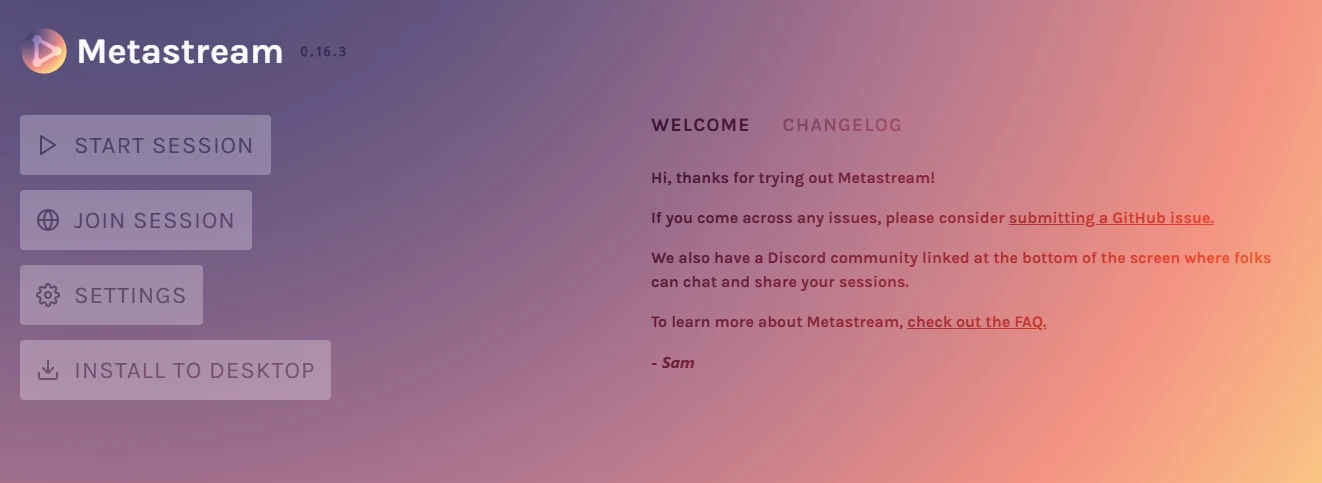
Have you ever opted for any streaming platform that will help you run popular movies and TV shows in real time with your bosom friends or close partner? Then it’s high time to bid adieu to traditional streaming through the ground-breaking platform Metastream, necessitating the need for just a browser extension to enjoy the same stream on two & more different screens. Truly incredible, isn’t it?
Here, one can host the session, which helps other members to enjoy the same session on a distinct screen to enjoy the same streaming content. If you are in a long-distance relationship with your partner, while both cannot resist the irresistible desire to enjoy a romantic movie virtually together, even if you are far apart, without letting the physical distance be a barrier.
In brief, to make out how Metastream actually works lets roll. Additionally, you also gain an overview of key features of Metastream, how to start streaming with it & much more.
What Is MetaStream?
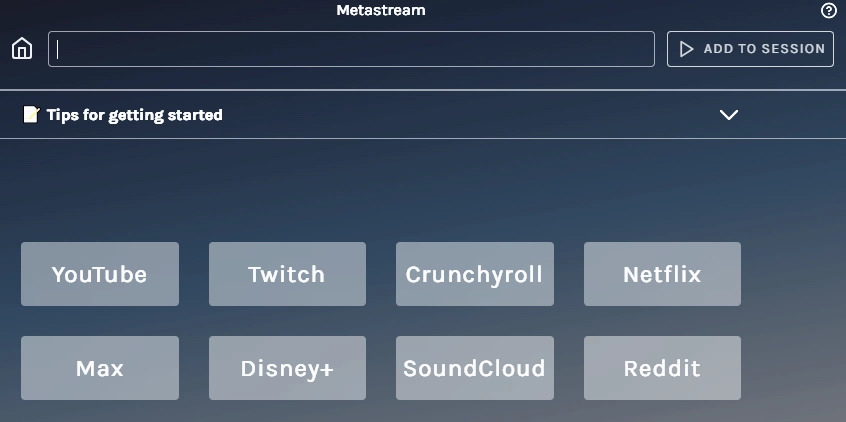
Metastream is a breakthrough that defines the ultimate gateway for streaming content by a browser extension, enabling users to leverage Firefox and Chrome to enjoy streaming of content from platforms like YouTube, Netflix, Max, Disney+, Twitch, and much more.
Kudos to Samuel Maddock, an independent developer who developed the site, which is convenient to use and also requires no registration or sign up for enjoying the favourite show or movie.
Key Features Of MetaStream
The key standout features of Metastream that expedite the overall user experience are enumerated below with justification.
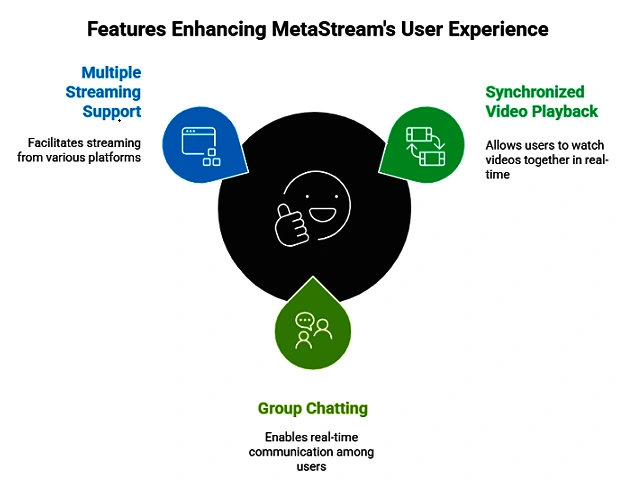
👉 Video Playback in a synchronized manner: One of the standout features of metastream is to stream multiple contents in a synchronized manner. Here, all connected members are enjoying the same show at the same time.
If you are in a long-distance relationship with your beloved life-partner, while both of you are willing to enjoy the same romantic movie virtually without letting your physical distance be a barrier, then go for it and enjoy the synchronized video playback.
👉 Group chatting functionality: Group chatting is another rollout feature helping you to enjoy streaming shows with multiple friends without letting time become a limitation.
👉 Multiple Streaming support assistance: Metastream is a unique breakthrough of modern-day streaming by dint of browser based system with smooth synchronization.
What is Metastream Used For?
Metastream is used to enjoy streaming movies or shows from distinct platforms, including YouTube, Netflix, twitch and many more. Here you also avail the opportunity to enjoy real-time chatting interactively without bearing any single subscription charges, entirely free of cost to stream your favourite content.
How to start streaming with Metastream
Step 1
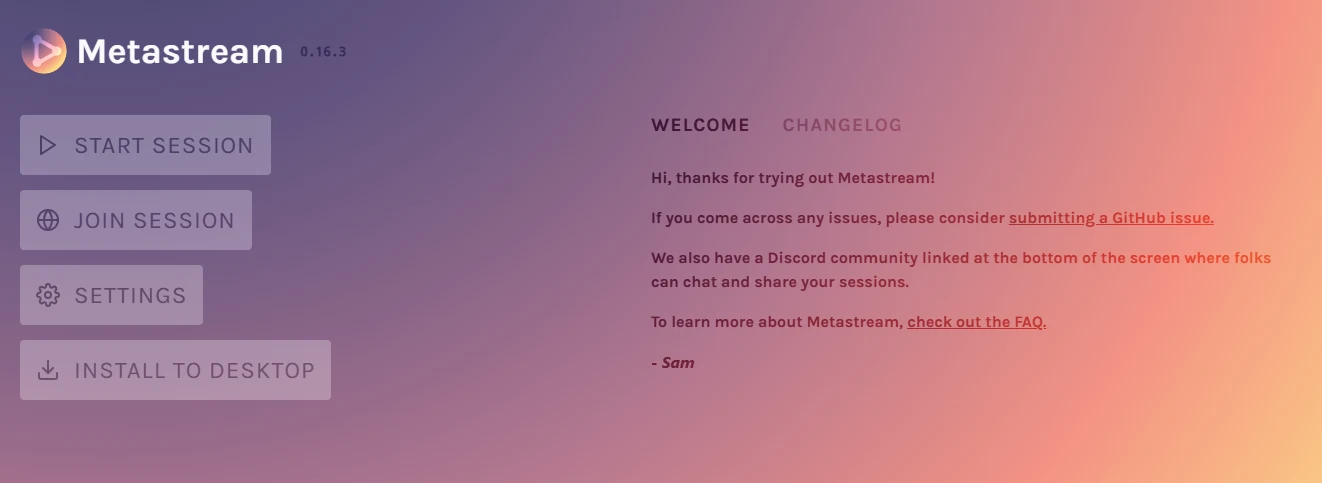
Go straight to Metastream, and you will be redirected to the home page, with the option to open “Metasteam” by clicking on the button.
Step 2
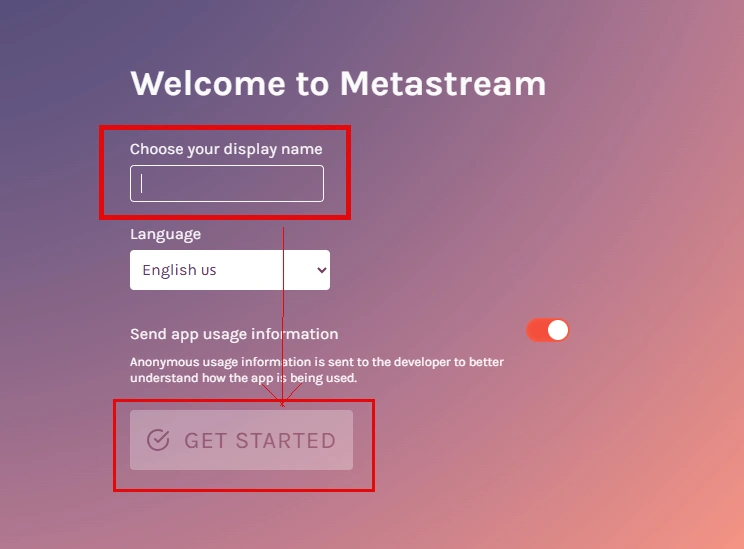
Now you are welcome to the homepage of metastream that will ask you to choose your display name for getting started with Metastream.
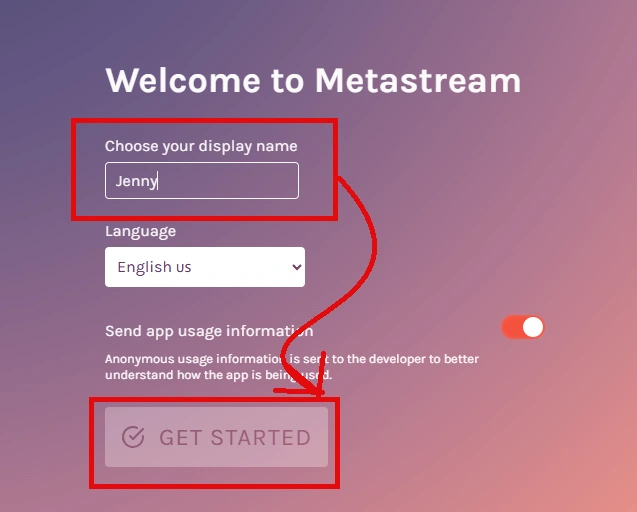
Suppose my name is jenny so I mention these on the display name tab and click on the get started button.
Step 3
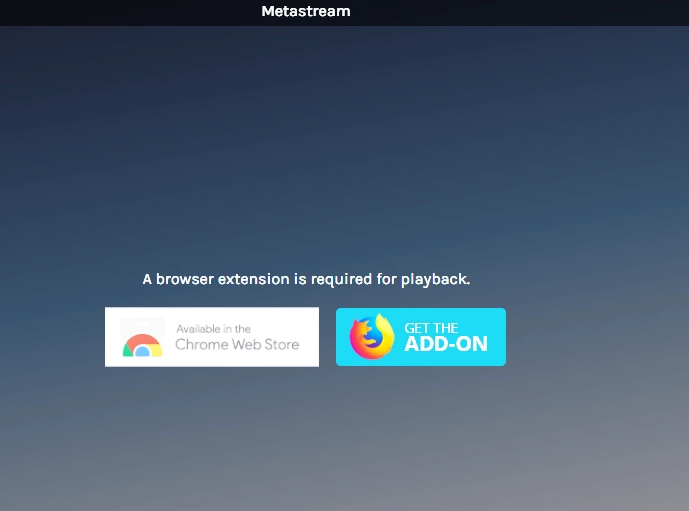
Now the screen shows the necessity to add a browser extension as a prerequisite to start playback. You go for either Mozilla and Google Chrome to install the extension.
Step 4
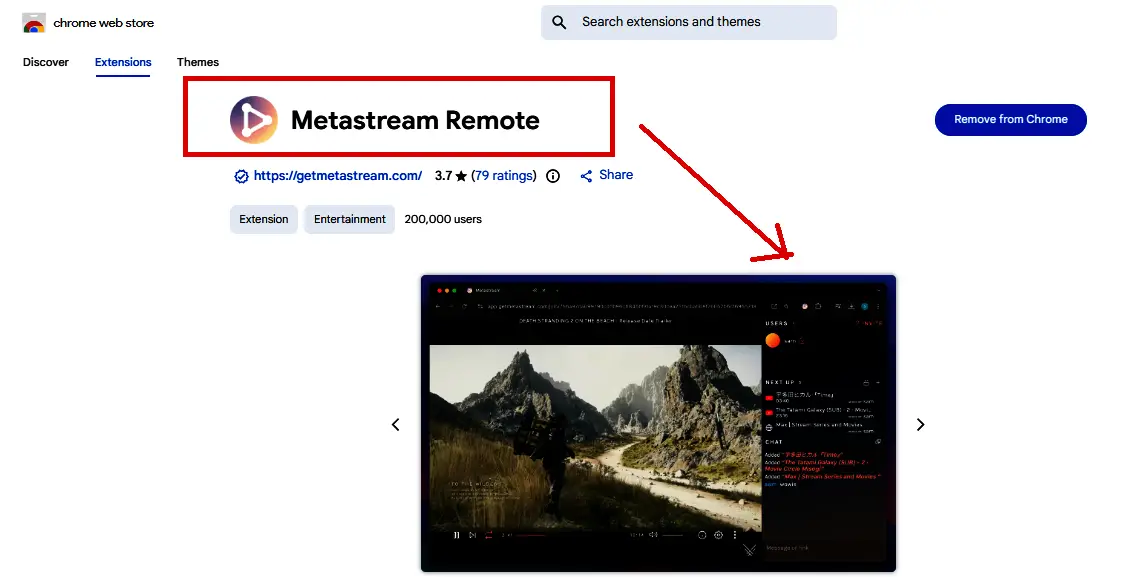
Clicking the link redirects you to chrome web store for enabling the MetaStream remote extension. Now you enjoy playback seamlessly.
Step 5
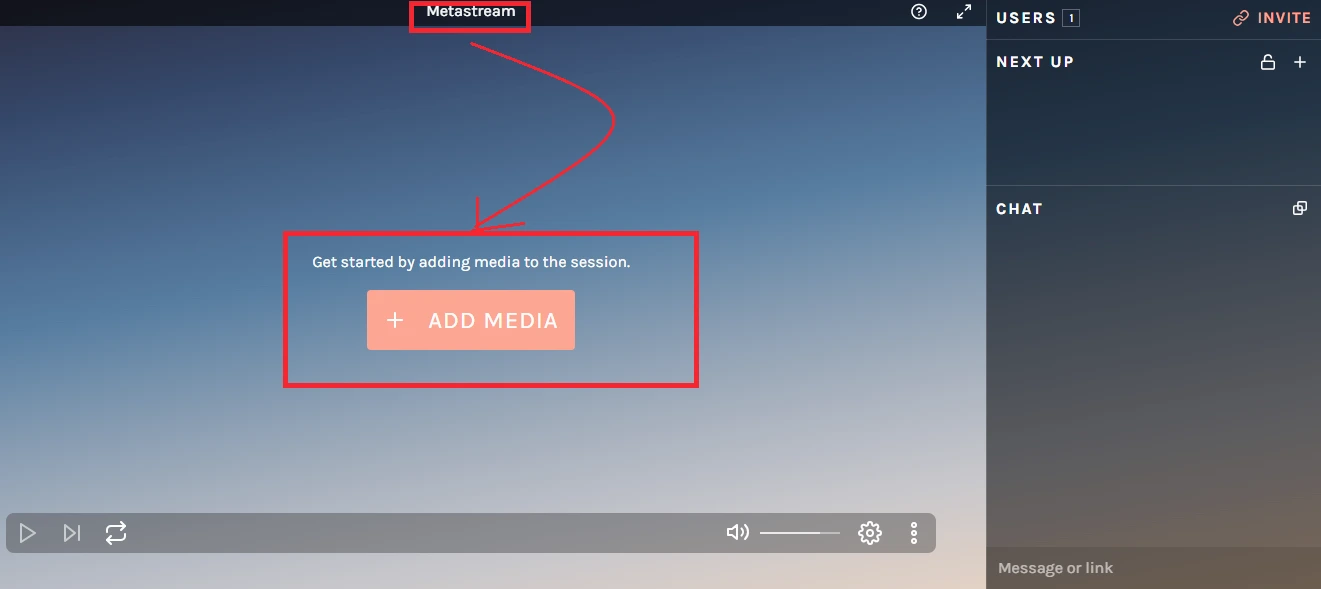
Now, click on the add media button and also go through the tips to get started with it.
Step 6
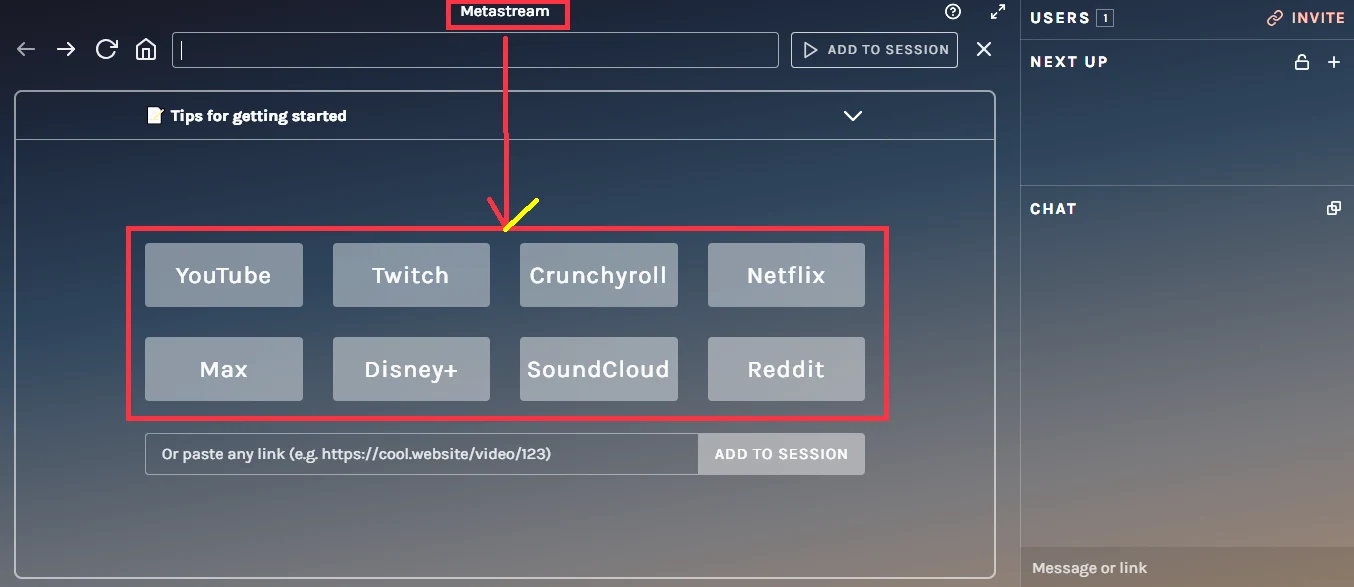
Now you get multiple options for streaming, like YouTube, Netflix, Max, Disney+, Twitch, and much more.
Step 7
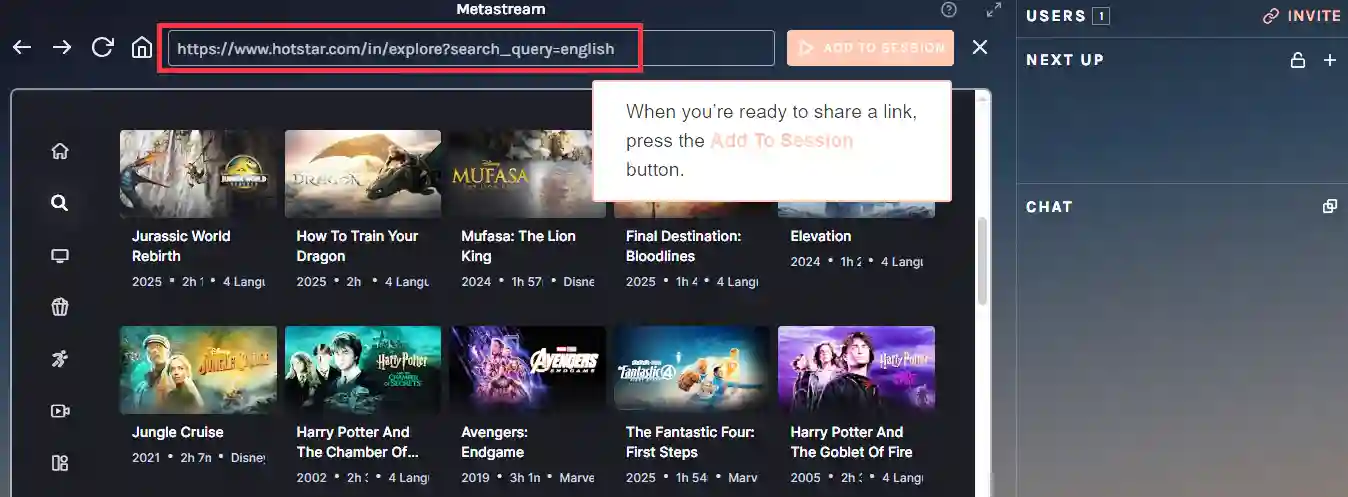
Click any of link to enjoy streaming. Let’s enjoy and share the session link with your loved ones to have fun.
Metastream vs Other Streaming Platforms
| Platform | Why go for it? | Device compatibility |
| Teleparty | Easy sync for Netflix/Hulu | Chrome, Edge |
| Kast | Desktop screen sharing | Windows, Mac, Mobile |
| Scener | Robust video chat & hosting | Chrome (Desktop) |
| Hyperbeam | Shared cloud browser | Universal (Any Browser) |
Wrapping up
In a nutshell, it is quite obvious that enjoying streaming with Metastream is becoming an incredible source of fun and laughter while enjoying the same show at the same time. So why are you waiting for? Let’s cherish your time with your beloved one or your like-minded friends. All that is needed is just stable internet connectivity and a working pc. That’s all. I think you loved the blog. If yes, then never forget to share with others, as I always believe “sharing is caring” and leave your comment at the end if you have some more things to inquire.
Frequently asked questions (FAQs)
No, Metastream is not run on a phone; you need a desktop browser to run the extensions.
Metastream Remote extension are prerequisite for enjoying mammoth streaming with your browser (Chrome or Firefox).