Almost everyone is familiar with ChatGPT, but how many of you have come across the term ChatGOT? Sounds interesting, doesn’t so?
In the digital era, waking up from bed early in the morning to go to sleep at night, everyone needs AI tools, am I right? Let’s picture it by yourself. It may be creating an image for social media, drafting an email, making a presentation, or almost anything. We cannot deny the invaluable contribution AI provides us.
Are you looking for an AI tool that makes your life easier? Almost everyone knows what ChatGPT is, but do you have any idea for chatgot? If not, then I am here to present to you about ChatGot. Let’s be honest, it will help you with distinct tasks like writing, coding, and summarizing facts more easily. I personally use this tool and find it really worthy. So if you’d like to know more about staying with me till the end.
What is chatgot?
Chatgot is an AI assistant that helps users manage workflow through AI automation and execute tasks within seconds. It helps users to brainstorm innovative ideas and position themselves as an admin assistant and a writing helper.
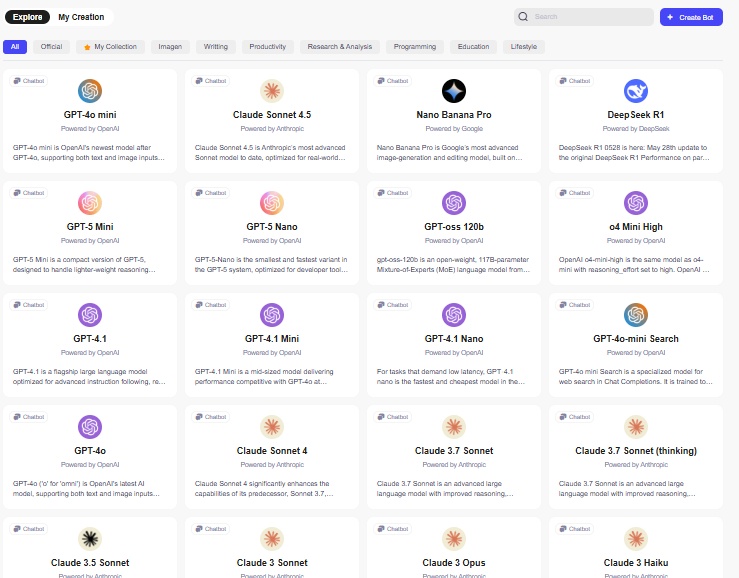
This platform or AI assistant brings multiple language models all under the same roof. On the platform, you have access to GPT-4o Mini, Gemini Pro, Claude 3.5, Llama 3, and so on. So no need for copy-pasting your prompt on multiple sites, just type once. That’s all. Your chosen AI within chagot get it done for you.
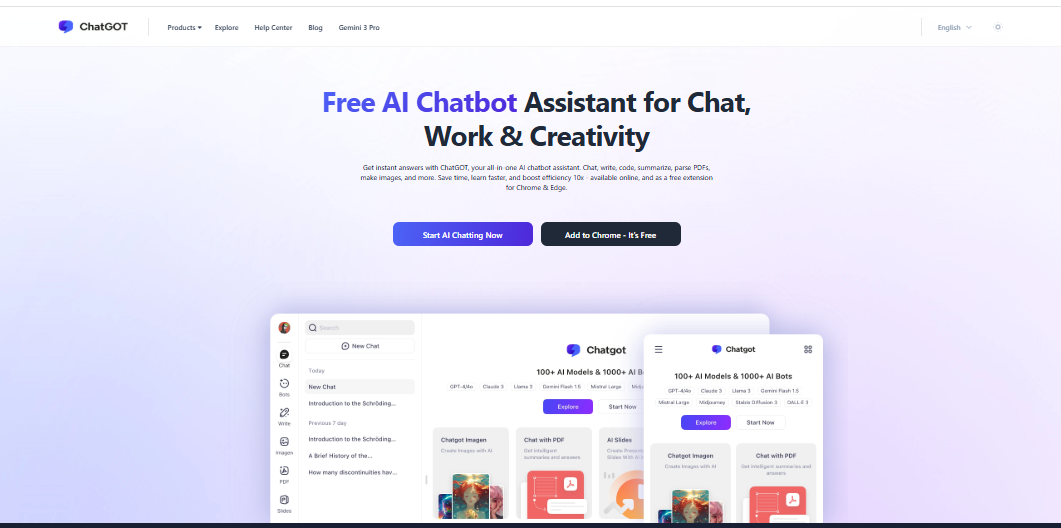
Alt text: The image shows Chatgot, the AI assistant that helps users boost productivity by 10x in distinct activities like chatting, writing, coding, and summarizing.
Why You Should Care About ChatGot
Are you someone who jumbles up managing your multiple tasks? Then no need to worry further. Chatgot will become your true companion as a perfectly fitted AI assistant that can help you do tasks flawlessly.
Time saving: Are you taking lots of time in making a presentation, searching template to paste the content, and so on? Chatgot will help you do it within seconds in the “quick create” option by the AI slides.
The AI assistant helps you to generate a PPT either by AI chatting or from uploaded documents. All you need is just upgrade your plan to download, as it is not available for free users.
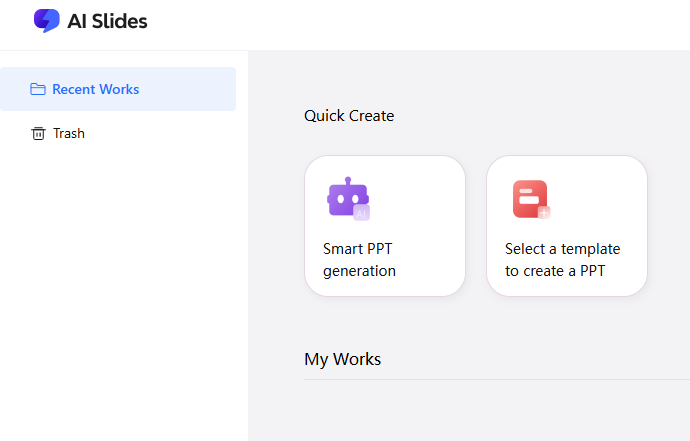
Alt text: The image shows how you create a PPT by chatgot by selecting a template as per your needs.
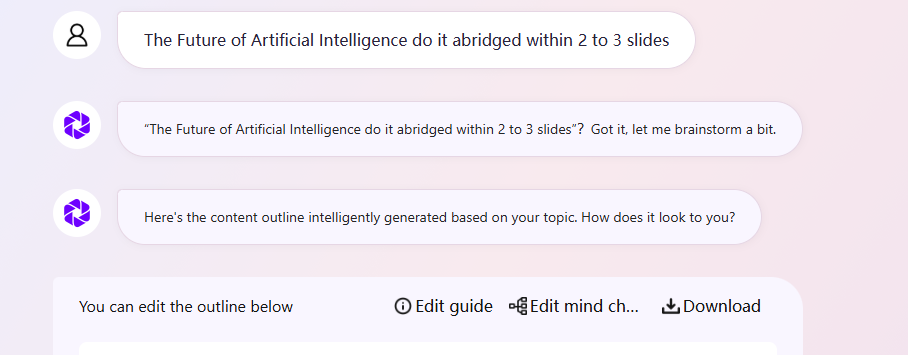
Alt text: The image depicts how it takes a bit to generate brainstorming for a PPT for the future of artificial intelligence. I commend it to make it abridged into 2 to 3 slides.
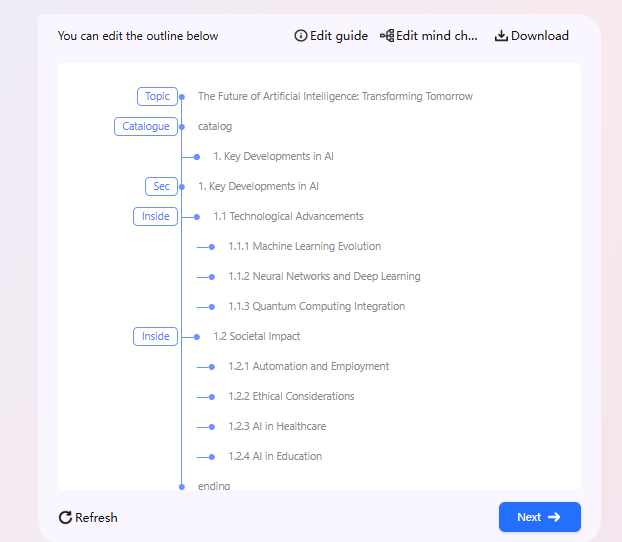
Alt text: The image showcases how the tool makes a topic outline as per my command for the future of artificial intelligence PPT.
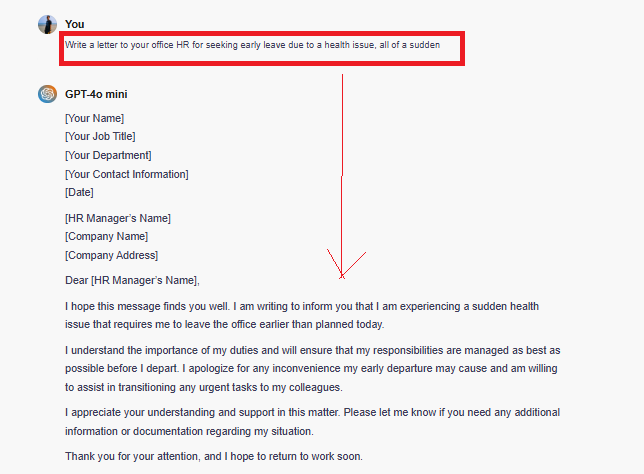
Boost your task execution: Are you facing issues writing an office letter in proper format? Chatgot will help you make it on the basis of your command prompt. Once I feel uneasy due to health, making me opt for a letter draft to seek early leave from HR. Thanks to chatgot. Based on my prompt, it generates a letter within seconds. Below, I share it to showcase how it became a lifesaver for me during times of need.
How ChatGot Works (From My Experience)
Chatgot is a perfect companion for users seeking help with writing, coding, and summarizing facts within seconds. I still remember some days before when I initially tried to learn HTML on my own at home. Initially, it seemed tedious for me to learn the theory from the basics.
Then I searched ChatGOT to let me tell about “a code for HTML with a hyperlink”. After getting my prompt, it generates an HTML code snippet that has a hyperlink. This is all about my coding experience with chatgot.
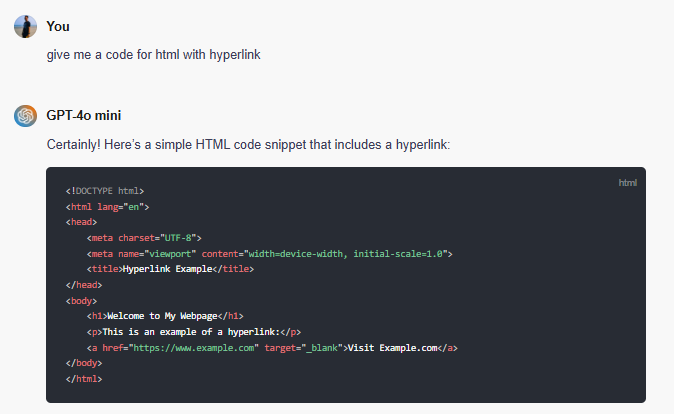
Alt text: The image shows how ChatGOT generates an HTML code snippet after getting my comment prompt,” give me a code for HTML with a hyperlink.”
So what we see above is how the chatgot works, right? Let’s check it out
| Enter Your Request: At first, you need to mention what your query is or what you actually want chatgot to help you with. Just enter your prompt. Get a Response: The AI platform chatgot will make a detailed, quick, and actionable answer based on your prompt and takes a few seconds for execution. Refine if Needed: if you think you are not satisfied with the response it generates, you can now refine your search request accordingly to get better results. |
Why chatgot- Experience with the Intuitive Interface
- Simple: The intuitive interface of chatgot makes the platform simple and easier to handle.
- Customizable: The platform provides an option for adjusting the tone and also the response style, which is seamless for professional use.
- Faster and quicker response: The user can receive a quicker and faster reply for even longer requests within seconds.
- 24/7 availability: The platform assists with writing, editing, coding, and even making presentations to users 24/7, wherever and whenever necessary.
Main Features of Chatgot
1. Access to Top AI Models
Chatgot is a worthy AI assistant that brings Top AI models all under the same roof. Here on the platform, you can access large Language Models (LLMs) for your needs. Here you can get GPT-4o Mini, GPT-4, Gemini Pro, DALL·E 3, Mistral Large 2, Claude 3.5 Sonnet, Claude 3 Opus, Claude 3 Haiku, and so on.
This access for top AI models is a game-changer for users which are helping to eliminate the need for switching between platforms and execute tasks without hassle. The unified interface of the AI assistant chatgot helps users to access many top AI models all in the same and unified accessible dashboard.
2. ChatPDF
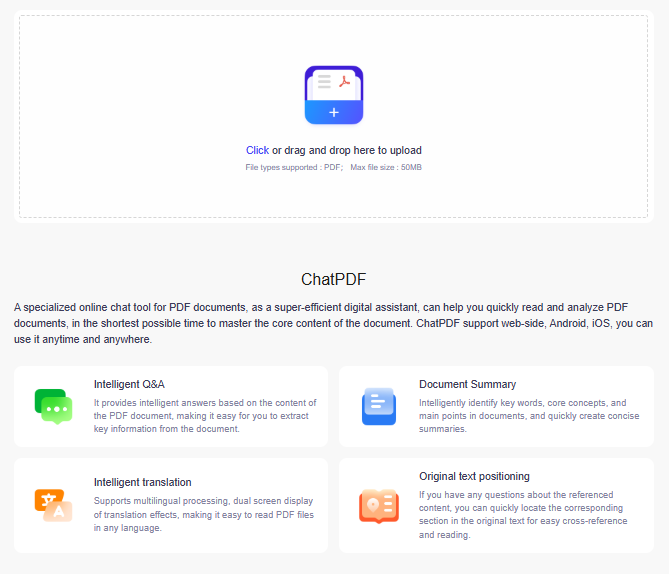
Another feature embedded in the platform chatgot is its chatpdf option. This chatPDF helps you to get answers for your uploaded PDF content and makes information extraction easier for you. From now on, you dont need to skim the entire document, just upload the PDF and get answers based on your uploaded information in PDF format. Are you tired of reading the whole document?
Then there is a quick solution led by ChatPDF. It will help you to identify the main key information and summarise information within seconds.
The intelligent translation option helps an individual to read PDF files in the desired choice of language. One thing you remember, you can upload up to a 50MB file on the chatgot by the drag and drop option.
3. AI Slides
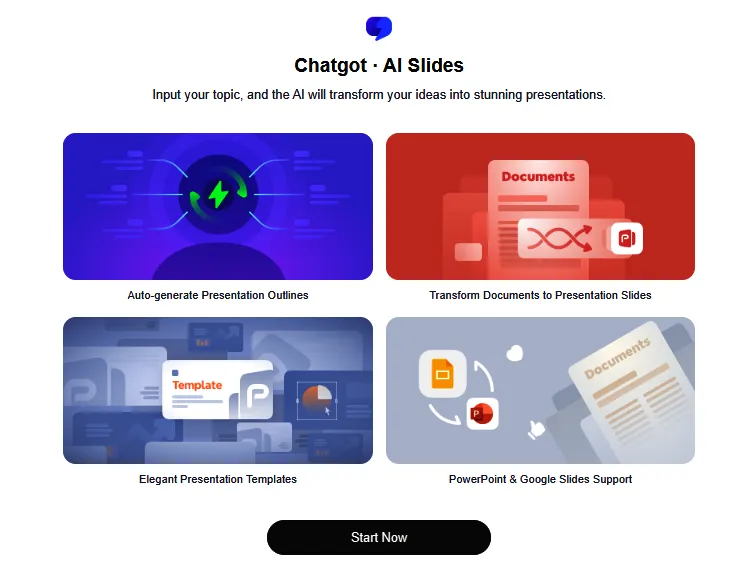
AI slides embedded in chatgot give you the option for making a stunning presentation based on the information you provide or based on a rough outline. It does not matter whether you are a student preparing for your upcoming assessment or a business tycoon preparing for a business pitch. AI slides will make a stunning and eye-catching presentation in less time. Needless to say, AI slides will save your time by retaining the quality of your presentation.
4. Chatgot imagen
Are you looking for a high-resolution image that fits perfectly with your creative project outline, a marketing material to show a brainstorming idea? Now it’s time to welcome Chatgot imagen, which will make a detailed image in a realistic manner on the basis of your command prompt. This is why it is appreciated by users for its credibility in making stunning photos.
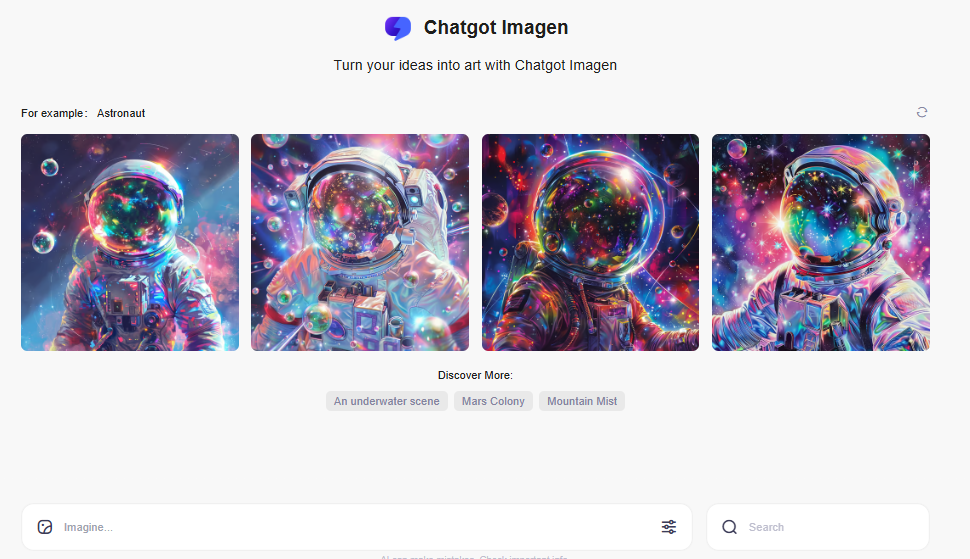
Alt text: The image shows how typing your prompt in the search box will make the desired image through chatgot imagen.
5. Multilingual Translation
If you are facing a language barrier, then it is no longer an issue for you. Here, the ChatGOT multilingual translation helps you to translate content from any language that is easily understandable by you. It also provides support for dual-screen display and multiple language compatibility to make your content analysis easier, no matter whether you are dealing with international clients or going through any foreign content.
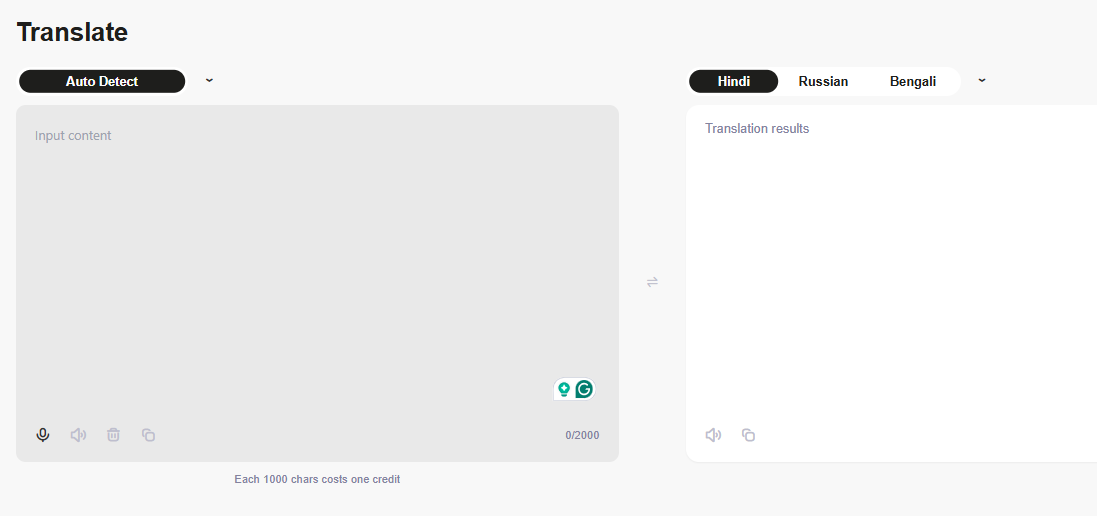
Alt text: The image above displays how multilingual translation assists you in translating content from any language.
ChatGot Pricing
If you want to avail the best benefits delivered by Chatgot, you should definitely go to the AI plans either annually or monthly to seize the benefits. The table below shows the plan type, monthly price, annual price, and the discount users get if they make an annual payment for the AI plan of ChatGOT, namely ChatGOT Pro and ChatGOT Max.

Alt text: the image shows plan types, annual price, and monthly price for AI plans, namely ChatGOT Pro and ChatGOT Max.
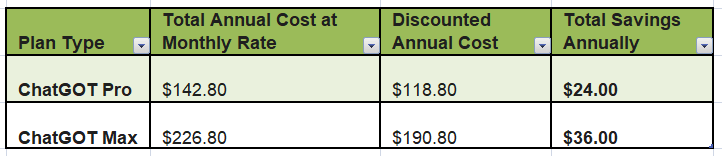
Alt text: The tabular Excel data above shows how much you save both for ChatGOT Pro and ChatGOT Max if you take the subscription annually instead of a monthly basis.
Pros and Cons
Pros
- Easier to use for its intuitive and user-friendly interface
- The plans are affordable as per the distinct needs of users
- There are options for customisation, both the styles and tones
- It is Android, iOS and web compatible.
- Getting the accessibility of top LLMs all under the same unified platform means no need to log in multiple times for different tools from various accounts.
- Mutitasker
- It has a unified interface having Top AI Models, making it appropriate for writing information, coding, summarising facts and more
Cons
- Not seem appropriate for niche scientific and technical topics as it lacks depth.
- The free plan is limited, and not all features are accessible if you go with the free AI plan for ChatGOT.
- The maximum size for the document upload is 50MB, making it restricted to handle larger document types.
- The AI tool is only PDF compatible, not supported with DOC, TXT, or other formats indicates a clear drawback.
Customer testimonial-what users say
Customers are satisfied with the AI assistant, as exemplified by the user rating, which stands at 4.8 out of 5. If you like using the tool, you can add it as an extension in your Chrome browser. It will take your AI usage experience to the next level.
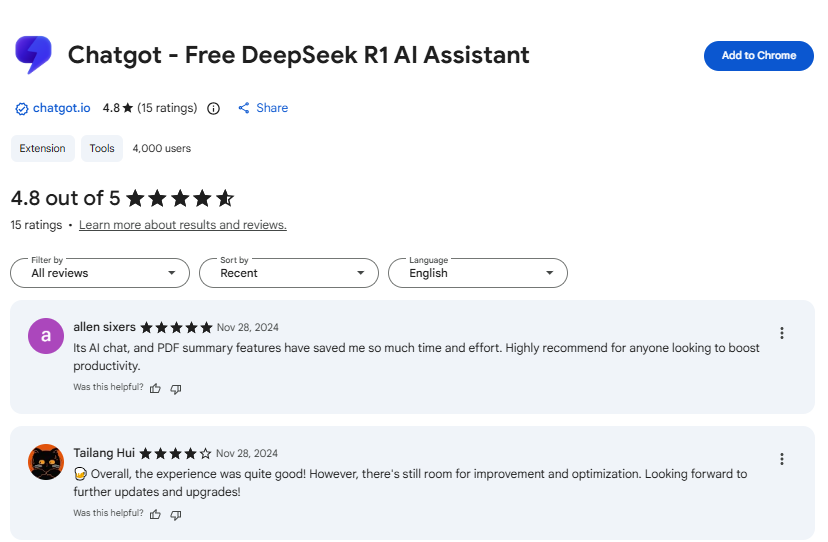
Alt text: The image shows what customers opine about the AI assistant.
Wrapping up
I think the blog gives you an understanding of the AI assistant chatgot to manage your workload. It will also boost productivity by managing the time constraints. I also hope you get to know all about the key features, annual and monthly plans and other details. So why are you waiting for? Go ahead and try ChatGOT.