Have you ever faced an interruption while watching TV with your FireStick remote that suddenly stopped cooperating? Facing something like this is incredibly frustrating, isn’t it? Here on the blog, I will share a complete guide to fixing it. Meanwhile, it will help you get your remote back on track. Let’s have a look at the process.
Basic fixes for an unresponsive Firestick remote
Certain things need to be kept in mind while using firestick remote. Let’s have a look at some basic tips if you have faced issues with your Firestick remote not working.
Keep the remote within the usual prescribed range: The working range of the remote for the Fire TV Stick is normally within 10 feet. Do check the prescribed range of your Fire TV Stick remote if you have seen a non-working issue.
Change the battery and try again: A low battery sometimes becomes the reason behind issues not working properly led by the Fire TV Stick. Hence, it is crucial to change the battery and try again to check the weather it can cause any resolution for the non-working for firestick or not.
Try using voice commands or the Alexa button: Your device likely does not have any issue if you see that after giving a command to the voice assistant or Alexa, it starts working immediately.
5 proven fixes with Firestick remote
Fix 1: Unpair and Repair Remote
If you are a Fire TV Stick user, then you may see issues with your TV Stick during initial pairing, as it sometimes does not work properly. Now the question arises, what is the fix for it, so that nothing like it arises afterwards?
Unpair and repair is a viable solution that helps to fix the issues. Meanwhile, to do it, you need to follow some basic steps to resolve firestick remote not working properly.
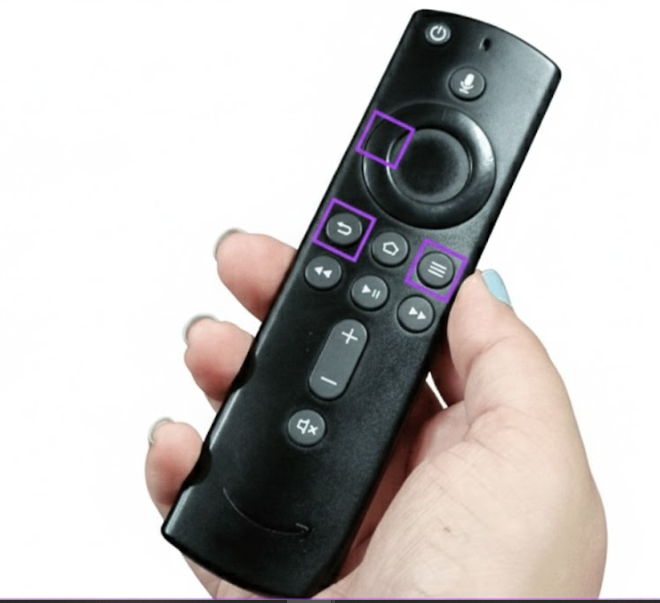
Step 1: Until or unless the visibility of the blinking blue light on your remote you just Press Menu + Left + Back button on your remote. The image shown below shows the exact location of the three buttons (Menu + Left + Back button) on your Fire TV stick to make it better understandable and easier to execute.
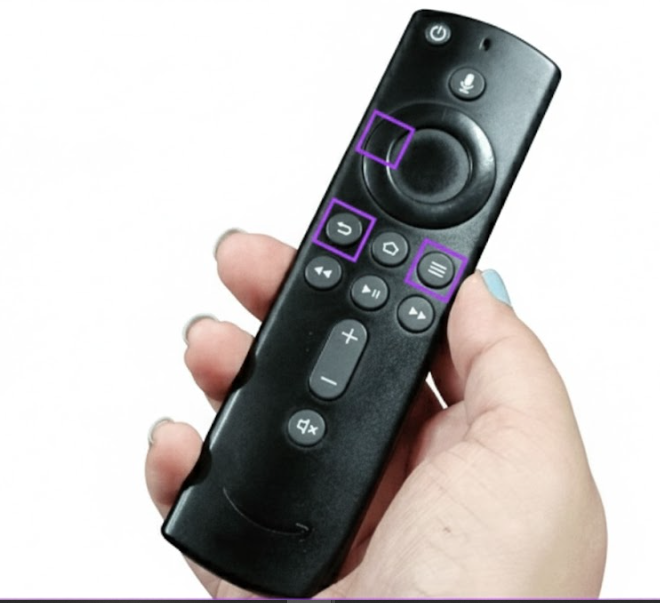
Step 2: After waiting for a few seconds more, keep pressing the home button on your remote. Moreover, it helps you to pair your remote again with your device. After the visibility of the pairing prompt is shown on your screen, you release the button that will eventually help you sort this issue out.
Fix 2: Restart Fire TV Stick
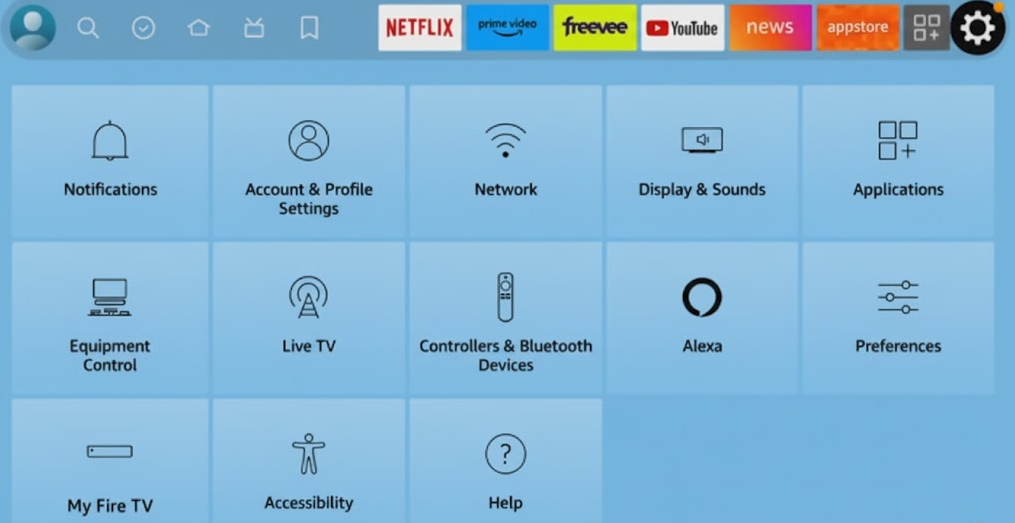
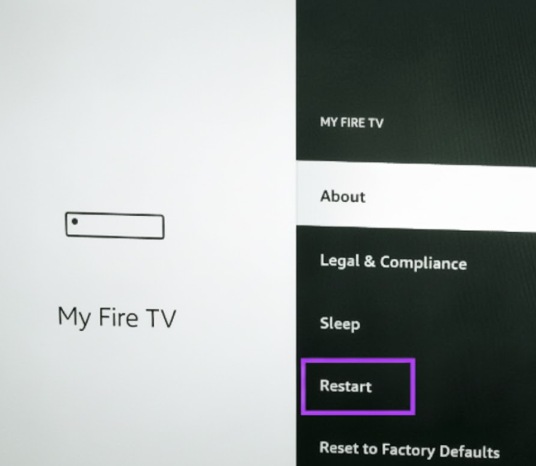
If you are in the midst of firestick remote not working, a simple restart of your device can quickly fix your issues. Meanwhile, to make it happen, you just need to go to the settings menu within your device.
After going to the settings menu, click on the My Fire TV option. Go down from the dropdown menu and click Restart. After seeing the prompt for a restart appear on your screen, select the restart option. Wait for a while to make the restart happen for you before attempting again.
Fix 3: Check Status for Remote Battery
If you have seen that despite the attempt to make changes to your TV stick battery, it still shows some intermittent issues, by not working properly. Meanwhile, there is a possibility of battery issues located within your device.
To reveal the actual cause behind it, you just need to open the settings from the remote TV. Afterwards, you need to check the status of your already installed battery to root out the reason behind non-performance. Follow the steps to check the actual battery status, as enumerated below
Step 1: After going to the settings menu from your Fire TV Stick, there are multiple options displayed.
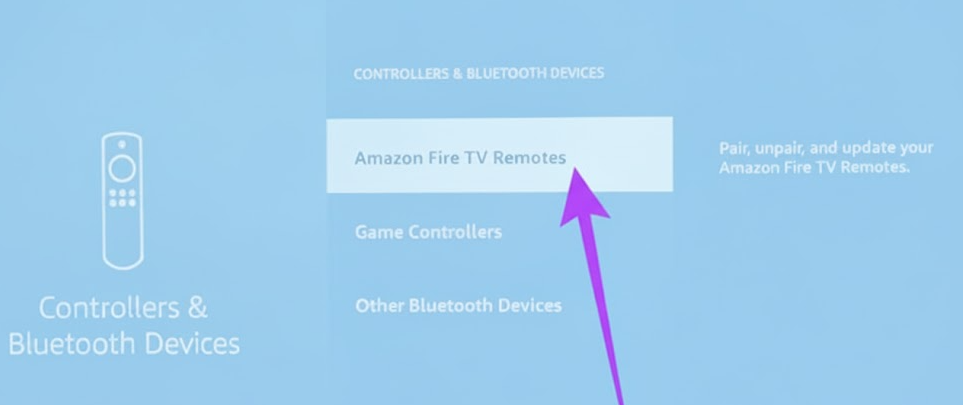
Step 2: From this, select the Controllers & Bluetooth Devices option.
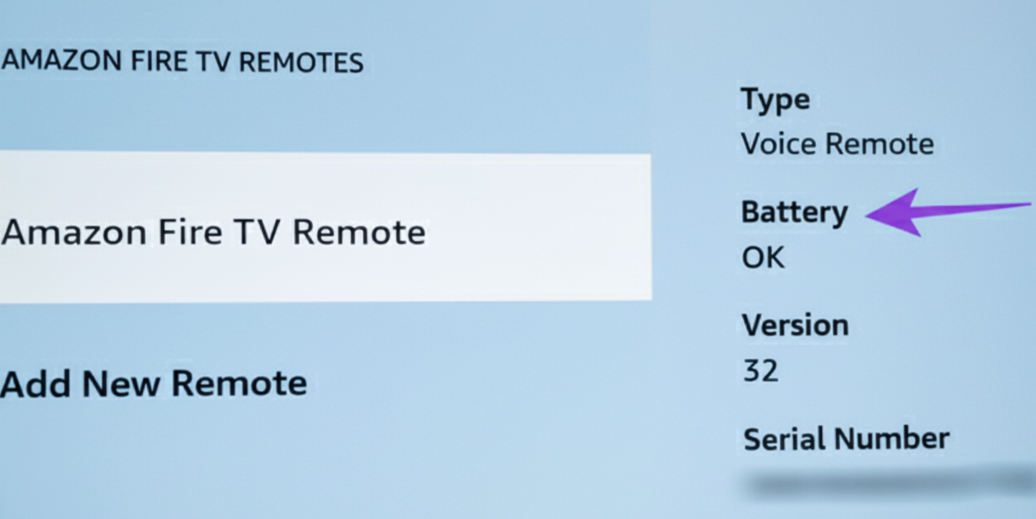
Step 3: Now you select the option Amazon Fire TV Remotes. Immediately after going to the Amazon Fire TV Remotes option, the right panel shows the battery option. If it mentions ok, no need to worry, and if not, just install a newer battery and try again with it.
Fix 4: Check for Software Updates
Sometimes, obsolete software can cause issues with firestick remote not working due to compatibility concerns. It is meanwhile necessitating the need for regular software updates to root out the issues.
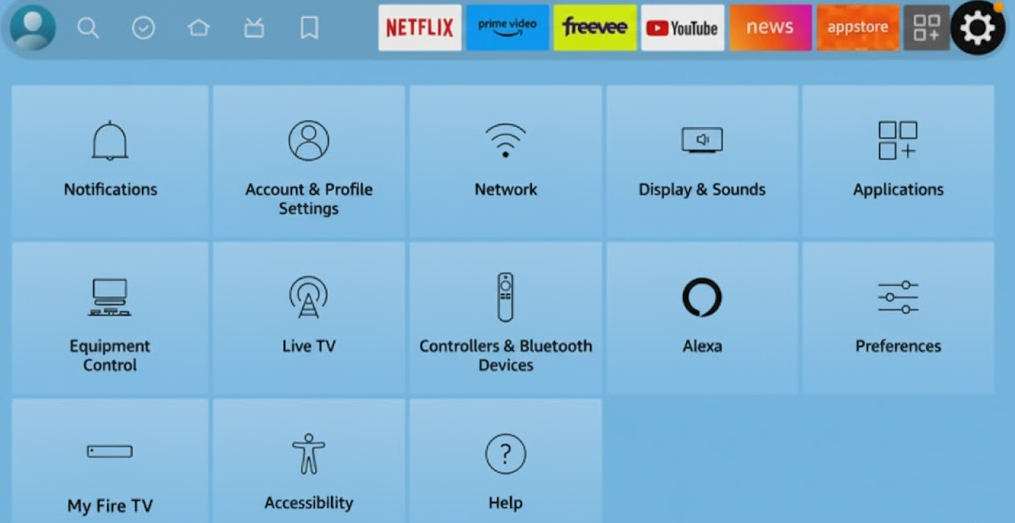
At first, you need to go to the left directional button on the remote and go to the settings option.
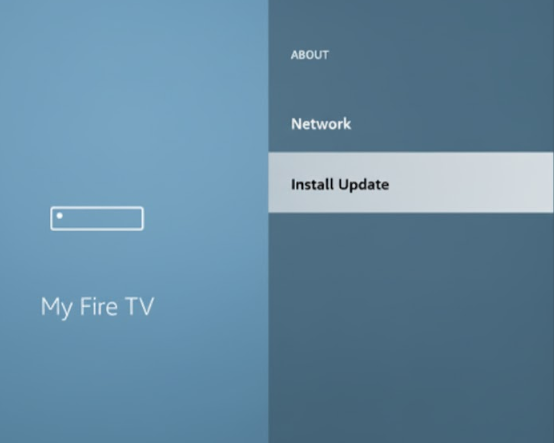
Now scroll down until you see the option for the app, namely my Fire TV. Now you select the About option and click on install updates to make your software up to date. The image below helps you to show how to make your software update installation by just clicking on install updates.
Fix 5: Reset Your Fire TV Stick Device
If you still find your problem has dont been resolved, you don’t need to keep panicking. You just need to reset the Fire TV Stick device to check if it works or not. Now the question comes to your mind, how can you reset it? Am I right? Here, I guide the complete breakthrough of the process to make it easily understandable for you.
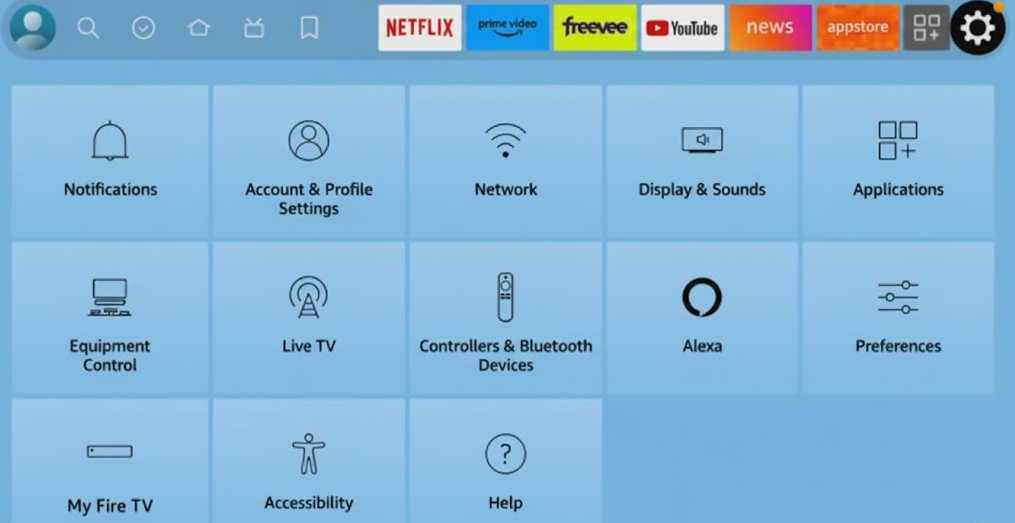
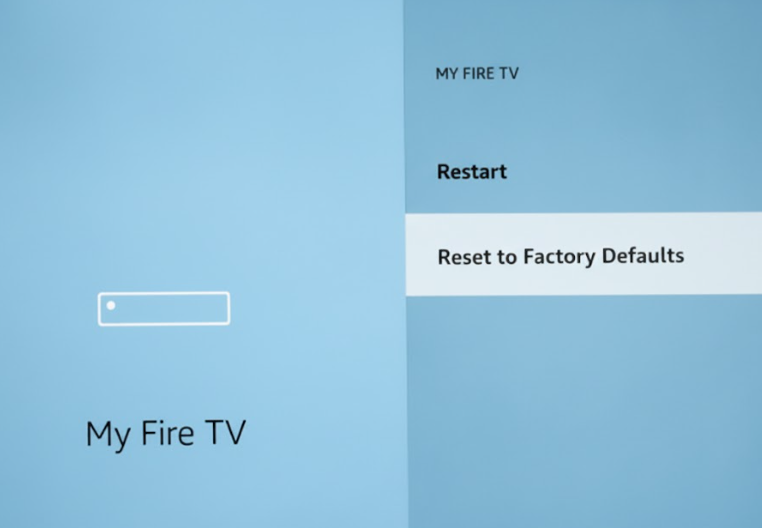
You just go to the settings menu and select the option My Fire TV from the list of icons that appear on your device screen.
Scroll down until the option factory data reset is shown on your device screen. Now select the option factory data reset and confirm the reset. After the resetting has been done, pair with the device again and set the Fire TV Stick appropriately.
Final thought
In a nutshell, the non-working issue of the Fire TV Stick remote is a common issue. Meanwhile, to resolve it earliest one must require to follow the proven fix to deal unresponsive Fire TV stick remote. I think my article helps with your Fire TV Stick concerns.
If you find my article helpful, then you must share it with others, as you know, sharing is caring. Nevertheless, if you experience any issues further with your Firestick remote, you must go to the comment tab to share what you are facing. I will try to genuinely help you as much as I can.