Today’s technology evolves with Artificial Intelligence and Machine Learning. In every segment of our regular lives, AI has an impact. You will write the prompt on the AI chatbox, and the search results and other activities are processed automatically.
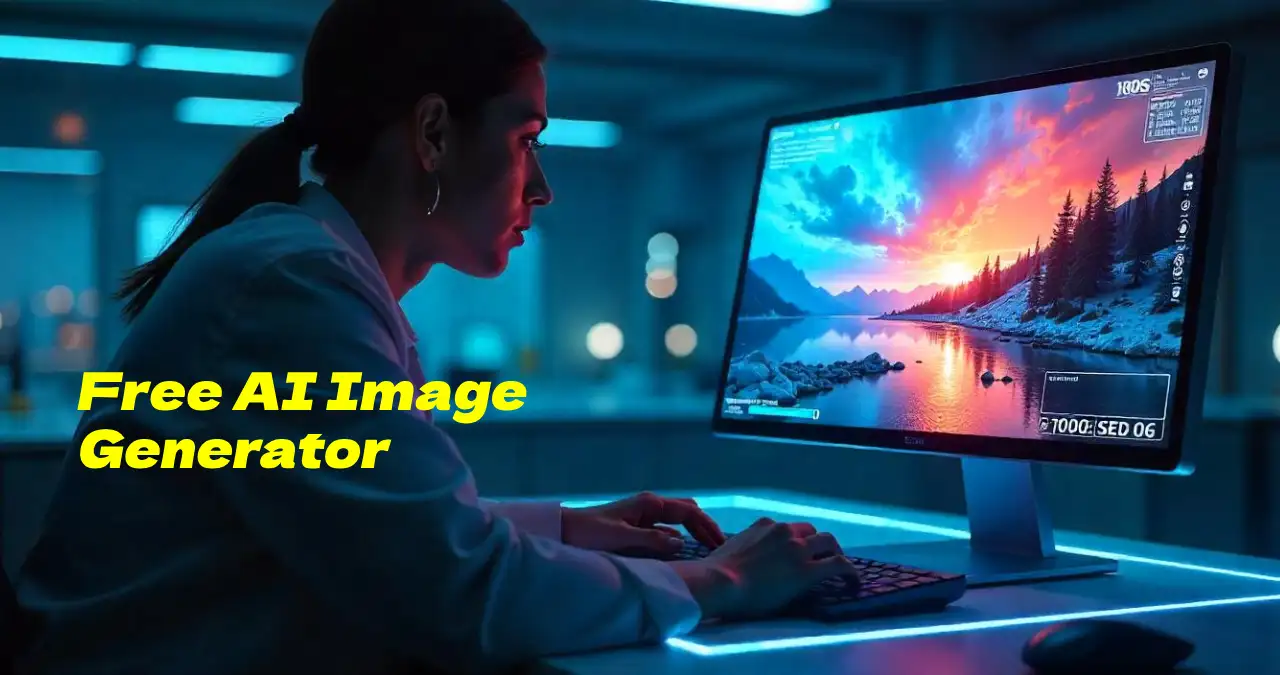
Everyone knows how to operate the basic functions of AI. A Free AI Image Generator is a tool that generates images based on prompts provided in text. When a user writes a text prompt related to the image, the AI interprets it to develop a corresponding image.
I will discuss the top 20 AI image-generating tools. Let’s have a deep dive into the article to get an idea of different AI Image Generators.
What Is an AI Image Generator?
An AI Image Generator provides an image to the user by the given prompt and visualizes your imagination in seconds. There are such AI image generator tools available on the internet.
Such tools offer free access, and some offer access with a subscription. It can be helpful for students, document creators, and business persons.
Apart from that, if the user uploads an image, then the AI image generator modifies the image and makes it something new. This is called image-to-image conversion. These AI image generator tools leverage a massive dataset of images that are used to generate new styles of images.
Best Ways to Choose The Top Free AI Image Generator
There are numerous AI image generator tools on the market. Though users generally prefer free AI image generator tools. You need to analyze properly which tool can fulfill your requirements.
You need to follow some specific strategies to choose a suitable AI image generator tool. Let’s focus on the strategies.
- Reviewing Pricing Plans & Cost Per Generation:
Users analyze the pricing plans of the AI image generator tool. Most users prefer free tools or those tools that initially offer a free trial. This thing also matters: how many times can you generate images free of cost by giving a prompt?
- User-Friendly Interface:
Not only tech-savvy persons, but also non-tech-savvy persons operate AI tools. Such AI image generators offer an intuitive interface that is beginner-friendly to operate. Reviewing The Output Accuracy of The Image:
You can compare multiple AI image generator tools to analyze how they interpret and translate the text prompts into images.
- Analyzing The Prompt:
It is important for any AI image generator tool to detect the prompt given by the user accurately. Because the inaccuracy of analyzing the prompt may affect the search result.
- Assessing Regular Tool Updates and Support:
The technology of the AI tools is updated regularly. Users need to download the updates to run the application smoothly. There are many AI image generators, but you should select popular tools that provide relevant support to keep the platform updated.
Top 15 AI Image Generators in 2025
There are so many AI image-generating tools available in the competitive market. However, some popular AI image-generating tools are trending in 2025. We will discuss the top 20 AI image generators.
Let’s have a glimpse of the popular AI Image Generator tools:
Midjourney:

Midjourney is an image-generating platform that is programmed with generative artificial intelligence. This tool released its beta version on the month of August 2024. Version 3 of its algorithm function was launched in July 2025.
The tool uses Natural Language Processing to create attractive images as per the given prompt and textual descriptions. There are more than 20 million users who access the platform. Its current version is V6.1.
Pricing Plans:
There are various segments of the subscription packages of the platform:
| Free Plan | Basic Plan | Standard Plan | Pro Plan | Mega Plan |
| $0/month | $10/month | $30/month | $60/month | $120/month |
Key Features of The Platform:
Midjourney enables users with such attractive features. Its core features include:
- Text-to-image generation
- Creative control and customization
- High image resolution
- Concurrent jobs
- Sharing and collaboration
Pros & Cons:
| Pros | Cons |
| Highly accurate images | No free plan available |
| Extensive online gallery | Limited video generation feature |
| Large and capable high-speed renders | Steep initial learning curve |
| Active community of more than 20 million users | Limited customer support |
Future Enhancement Possibilities:
The tool needs more advanced granular control over styles and aesthetics. Upgradation in deep learning methodology will help to improve the rendering techniques. Users can directly import generated images into design tools with the API access of the platform.
The algorithm structure of the Midjourney tool can be enhanced to render complex images with greater accuracy and consistency.
Adobe Firefly:

Adobe Firefly is a part of Adobe Creative Cloud. This is a particular web application developed with generative artificial intelligence models for creative production. The tool has dual functionality, text-to-image creation and text-to-video creation.
The tool leverages a deep learning algorithm to understand the intent behind the text. It excels at complex design elements tailored to fit a specific artistic vision. It leverages the vast database of Adobe’s artistic components to ensure each output is original and aesthetically pleasing.
Pricing Plans:
| Standard | Pro | Premium |
| $9.31/month | $27.94/month | $186.33/month |
Key Features:
The platform’s key features include:
- Cloud-based functionality
- Advanced editing tools
- Extensive Template Library
- Rich Media Compatibility
- Intuitive Design Interface
- Real-time collaboration
Pros & Cons:
| Pros | Cons |
| The platform enables designers to explore various options to redefine their work efficiently. | Limited free version |
| You can quickly edit videos and add visual effects by leveraging the tool. | Steep Learning Curve |
| Users can convert both text-to-image and text-to-video by giving the desired prompt. | Subscription model and Compatibility issues |
| The platform leverages all licensed content. Licensed content makes it safe for commercial use. | Resource intensive |
Future Enhancement Possibilities:
The image generation tool will leverage more enhanced user control and custom models. The tool can be integrated with other features of Adobe applications.
You can generate and streamline production with new creative workflows.
There may be a possibility of expansion in creative domains.
Stable Diffusion:
Stable Diffusion is a free AI image generator tool. However, it also has premium plans. This is a deep learning model.
The text-to-image generation model was released in 2022 based on diffusion techniques. It generates unique images by leveraging advanced deep learning methods. You can also create videos and animations with the tool by text prompts.
Pricing Plans:
| Free | Pro | Max |
| $0/month | $10/month | $20/month |
Key Features of Stable Diffusion:
The key features of the platform include:
- Real-time data processing
- Flexible API Integration
- Advanced AI models
- Scalable Solutions
- Comprehensive Support
Pros & Cons:
| Pros | Cons |
| Free access and budget-friendly pricing plans | Steep learning curve |
| Data security measures | High computational cost |
| Multi-language support | Limited user control |
| Customizable Configurations | Dependency on the Internet |
| Continuous and Regular Updates | Data privacy concerns |
Future Enhancement Possibilities:
Integration with cloud services to enhance control and customization with faster generation speeds and standard image quality, and resolution.
Ideogram:
Ideogram is one of the popular free tools for AI image generation. The platform leverages to captivate designs, realistic images, and innovative logos and posters. The tool is very useful to detect chromosomal alterations.
The tool enables users to customize image styles and control aspect ratios. The platform offers a special tile feature for its paid subscription users. Ideogram also provides text and layout generation capabilities for graphic design, advertising, and other professional use cases.
Pricing Plans:
For Personal Use:
| Free | Basic | Plus | Pro |
| $0/month | $7/month | $16/month | $48/month |
For Business Purpose:
| Team Plan | $25 per user/month |
| Enterprise Plan | You need to contact the ideogram authority. |
Key Features:
The core features of the Ideogram tool include:
- High-resolution outputs
- User-friendly interface
- Commercial purpose use
- Magic prompt
- Customization of the various aspects of the generated images
Pros & Cons:
| Pros | Cons |
| Efficient and time-saving | Customization limitations |
| Produce stunning and unique visuals that boost your marketing campaigns. | Subscription costs |
| Customizable templates | Dependence on AI accuracy |
| Advanced image generation | Always requires an internet connection. |
Future Possibilities:
Expanding accessibility and integration, and advanced prompting and refining tools can upgrade and enhance realism and stylization with advanced text rendering accuracy
GPT-4o:
GPT-4o leverages integrated image generation capabilities. This feature is available for all users as the default AI image generator in ChatGPT. Its image generation feature is directly built into the model, so that an individual image generation tool is not needed.
Here, you can refine your image through natural conversion. The tool enables users to generate images by providing specific prompts and blending images with text. Another specialty of the tool is that the user can upload a photo, and it will generate a new image format directly.
Pricing Plans:
GPT-4o is an AI model of ChatGPT. This model contains multifunctional features. It offers both free and paid services. Its pricing plans include:
| Free | Plus | Team | Enterprise |
| You can leverage the text-to-image conversion feature with limited access in the free version. | $20/month | $25/month | Provides custom features with the most flexibility and control |
API Usage:
| GPT-4o | $2.50 per 1 million input tokens and $10 per 1 million output tokens. |
| GPT-4o Mini | $0.15 per 1 million input tokens and $0.60 per 1 million output tokens. |
Key Features of The Tool:
- Enhance speed and responsiveness
- Improved user experience
- Multimodal input and output
- Fine-tuning and customization
- Memory and contextual awareness
Pros & Cons:
| Pros | Cons |
| Increased level of precision and correctness | Costly to implement |
| Logical thinking and reasoning ability | Limited knowledge |
| Update to recognize and analyze the image | Textual inaccuracies |
| Enhancing the level of expertise | Difficulty contesting window constraints |
Future Possibilities:
It’s advanced human-computer interactions and personalized learning leverage in driving business innovation with content creation and marketing.
Reve Image:
Reve Image is developed by Reve AI. This is an AI-powered image generation tool that creates images from the given text prompts. The tool utilizes large datasets of visual information to produce unique and original images.
Reve Image tool leverages both graphic design and environmental contexts. You can also modify existing images by uploading reference images or using text commands to change the style of the image. You can use this AI image generation tool in content creation, advertising, or artistic exploration.
Pricing Plans:
Monthly Plans:
| Starter Plan | Premium Plan | Advanced Plan |
| $14.9/month | $22.9/month | $32.9/month |
Annual Plans:
| Starter Plan | Premium Plan | Advanced Plan |
| $118.8/year | $190.8/year | $274.8/year |
Features:
- Outstanding prompt adherence
- Typography excellence and high-quality visuals
- Quick and efficient generation
- Image-to-Image modification
- Customization options
Pros & Cons:
| Pros | Cons |
| Generate images within 10 seconds | Limited editing features |
| Safety and ethical considerations | Occasional resolution issues |
| User-friendly interface and excellent aesthetic balance | Limited customization of images |
| Multiple resources for users to explore and download | Don’t have a built-in image upscaler to upscale images. |
| Leveraging various artistic styles | Blur occurs while zooming in on an image due to limited resolution. |
Future Enhancement Possibilities:
Integration of API access with temporal consistency at 8k resolution.
It creates dynamic and interactive content through image generation with fine-tuning and customization to enable more specialized and personalized results.
Canva AI Image Generator:
You can easily transform your idea into an image through the Canva AI image generator tool. Canva enables three AI design generators for image creation:
Magic Media:
This is the native AI image generator of Canva. You can normally create an image through text-to-image conversion by giving a prompt.
Dall-E by OpenAI:
Canva leverages the tool to create photorealistic images from a textual description.
Imagen by Google Cloud:
This tool is another AI-powered text-to-image conversion platform. You can generate images, artworks, and illustrations through text prompts.
Pricing Plans:
Monthly Subscription:
| Free Plan | Canva Pro | Canva Team | Canva Enterprise |
| You can access the tool for free with limited features | $5.83/month | $5.83/month | For enterprise plans, you need to contact Canva support. |
Annual Subscription:
| Free Plan | Canva Pro | Canva Team | Canva Enterprise |
| You can leverage the tool free of cost with limited features and access | $46.65/year | $46.65/year | Contact Canva support to get an estimation of the Enterprise plan as per the user’s requirements. |
Key Features of The Platform:
Canva AI image generator is one of the popular free AI image generator tools. It leverages lots of attractive features. Let’s have a glimpse of its core features.
- AI-powered editing tools
- User-friendly interface
- Integration with Canva’s design platform
- Free access to all Canva users
- Customization options for images
Pros & Cons:
| Pros | Cons |
| It provides high-resolution image outputs | There are very limited advancement options for the generated images. |
| Seamless integration across the entire Canva Platform | This is not an alternative to professional design software.e |
| Cost-effective and creativity enhancement | You may face difficulty in generating a non-square image.s |
| Easy to operate and also time-efficient | There are limited free credits for the free users, and difficulty in getting specific image requests. |
Future Enhancement Possibilities:
You can also generate videos from text prompts with proper integration with Augmented Reality (AR) and Virtual Reality (VR). Advanced image expansion and manipulation options help in the advancement of image-to-image capabilities.
Abyssale:
Abyssale is a tool that supports diverse functionalities. It provides the option to generate visuals and scale the visual production. Users can do a bulk image generation through the spreadsheet data or API connections.
The tool leverages to create dynamic images that will be automatically updated for each recipient. The platform prioritizes creative workflows that automate visual asset production. You can instantly create multiple graphics by using the tool.
Pricing Plans:
Monthly:
| Free Trial | Starter | Pro | Suite | Enterprise |
| Offer a 14-day free trial | $15/per month | $45/per month | $75/per month | You need to contact Abyssale Support. |
Annually:
| Free Trial | Starter | Pro | Suite | Enterprise |
| Offer a 14-day free trial | $12/month | $36/month | $60/month | You need to contact Abyssale Support. |
Key Features:
- Production of an automated visual asset
- AI background removal and smart format adaptation
- Automated workflow and bulk generation of graphics and images at a time
- Template editor and diverse creation of images
- Personalized visuals and styling options
Pros & Cons:
| Pros | Cons |
| API integration and user-friendly interface | Limited integration and potential for biased output |
| Pro-quality designs and customized images through the template editor | Limited access to template variation and video support |
| Dynamic content updates with automated design | Learning curve and character length limitations |
| Enhanced brand consistency and increased productivity | Restrictions in design customization |
Future Enhancement Possibilities of The Platform:
Smart layout optimization and personalized recommendations, and real-time collaboration through integrating project management tools can improve the workflow features. It leverages an advanced AI-powered design capabilities.
Leonardo AI:
Leonardo AI is also a renowned generative AI platform tool. It is a free AI image generator. The platform works on a freemium model. Its mechanism has leveraged advanced algorithms and machine learning.
The tool provides users with the opportunity to generate images up to 150 credits regularly. The tool is accessible to all users due to its intuitive interface and guiding tutorials. The sophisticated AI image generator platform produces high-quality images with simple text prompts.
Pricing Plans:
Monthly:
| Free Plan | Apprentice Plan | Artisan Plan | Maestro Plan |
| Provide 150 tokens per day with limited access | $12/month | $30/month | $60/month |
Annually:
| Free Plan | Apprentice Plan | Artisan Plan | Maestro Plan |
| Provide a limited number of free tokens | $120/year | $288/year | $576/year |
Key Features of The Platform:
- Real-time image generation tool
- Image generation with the AI Canvas editor
- Prompt assistance and enhancement
- Video generation with 3D texture resolution
Pros & Cons:
| Pros | Cons |
| Focusing on artistic expression | Some users have reported performance issues with the tool. |
| High-quality outputs with advanced features | Inappropriate and inconsistent results with complex prompts |
| Cost-effective and time-saving due to automation | Lack of advanced editing tools |
| Advanced creative potential with an AI-first approach | The customization option is only available for paid users. No additional opportunities for the free users. |
Future Possibilities:
It prioritizes improving the user experience and visual content quality.
Improvement in Research and Development to enhance AI capabilities can leverage external expertise through strategic partnerships. It Integrates new technologies to maintain a competitive edge.
Recraft V3:
Recraft V3 is a text-to-image model that is suitable for designers. The tool is popular for generating vector art images with a brand style. Professional designers, illustrators, and marketers generally leverage the tool.
The tool is one of the best AI image-generating open-source platforms with compact language models. It offers both free and paid access to its users. The platform provides a suite of tools to edit and enhance images.
Pricing Plans:
Monthly:
| Free Plan | Pro Plan | Teams Plan |
| Leverages 50 credits daily with limited access | $12/month | $69/month |
Annually:
| Free Plan | Pro Plan | Teams Plan |
| Same as the monthly free plan | $120/year | $660/year |
Key Features:
- AI editing suite
- Vector image generation
- Anatomical precision and prompt tracking
- Fine-grained style control with aesthetic excellence
Pros & Cons:
| Pros | Cons |
| Professional design controls | Spatial awareness issues |
| Outstanding and stunning image quality | Complex scenes limitations |
| Efficiency and accessibilityTransparent credit-based pricing system | Inconsistency with text generationLimited access to photorealism |
Future Enhancement Opportunities:
Advancing multimodal capabilities with deeper cross-modal reasoning can enhance integration with external data sources. It leverages Image-to-video and text-to-video generation for better photorealism for specific projects.
Imagen 3:

Imagen 3 is a high-quality text-to-image AI model and is a part of Google. You can generate outstanding and ultra-realistic images from text prompts by using the tool. The tool is available for access on Google Cloud’s Vertex AI platform.
Imagen 3 is a free AI image generator tool. The tool prioritizes supporting business operations by leveraging creative workflows across a variety of industries. It delivers realistic, detailed, and visually appealing results.
Pricing Plans:
Editing:
| Pay-as-you-go | Annual Plans | Enterprise Plan |
| $0.05/photo | $67.5/month (Save 10%)$127.5/month (Save 15%)$240/month (Save 20%) | Custom plan as per the requirements |
Culling:
| Monthly Plan | $18/month |
| Annual Plan | $144/year |
Cloud Storage:
| 500 GB Storage Plan | $3/month |
| 2 TB Storage Plan | $10/month |
Key Features:
- Photorealistic image generation
- Improved text rendering
- High-quality resolution with reduced artifacts
- Advanced language understanding
Pros & Cons:
| Pros | Cons |
| Efficient and fast image generation | Ethical and policy restrictions |
| Integrated with Google’s ecosystem | Image resolution limits |
| Boost your creativity | Potential bias and dependency on training data |
| Maintaining consistency in design elements and being cost-effective through automation. | Lack of contextual understanding |
Future Possibilities:
It bridges the gap to more sophisticated AI with streamlined design workflows.
The tool empowers new artists and creators with realistic video generation with seamless multimodal experiences.
DreamStudio:
DreamStudio leverages the methodologies of Stable Diffusion to create images through text prompts. The tool transforms text prompts into visual representations. You can edit an existing image by adding, removing, and modifying elements.
DreamStudio AI art technology is specifically beneficial for social media graphics, visual storytelling, and creating digital art. The platform enables a credit-based pricing system. The tool has a special feature to access prompt history by revisiting and iterating on previously generated images.
Pricing Plans:
DreamStudio does not offer any specific subscription plans. There are some segments of its pricing packages.
| Free Trial | It offers 100 free credits for new users. |
| Credit Packs | 1.$1.18 for 100 credits 2. $3.54 for 300 credits3. $10 for 1000 credits |
| Cost Per Image | Depends on the image resolution |
Key Features:
- Aspect ratio control with advanced settings
- Text-to-image generation and image-to-image transformation
- Style selection option with image editing capabilities
- API access to integrate other applications and workflows
Pros & Cons:
| Pros | Cons |
| Wide selection of artistic styles | Ethical considerations and text rendering issues |
| Generating stunning images in various creative and innovative waysImage upload and variation | Limited editing options in some versions |
| Provide to selec image ratio options. | Learning curve and prompt dependency |
| Potential biases and limited real-time accuracy |
Future Enhancement Possibilities:
Animation and video generation with video rendering with interactive image editing capabilities can generate bulk image generation at a time. It can improve the overall visual quality of images.
Stablecog:
Stablecog revolutionizes digital art creation. Users can easily navigate the platform and refine artwork by leveraging its intuitive features. The tool authorizes artists to produce high-quality digital work with minimum effort.
Pricing Plans:
| Free | Starter | Pro | Ultimate |
| $0/month | $10/month | $25/month | $50/month |
| 20 images per day | 2000 images per month | 6000 images per month | 12000 images per month |
Key Features:
- Provides a wide range of artistic styles
- Provides the option of high-resolution image downloads
- Enables cloud storage for user-generated images
- Utilizes advanced AI models to generate images
Pros & Cons:
| Pros | Cons |
| Provides quick art creation | Quality Variance |
| Accessible for everyone | Style limitations |
| Extensive style options | Learning Curve |
| Enhanced creativity | Subscription costs |
Future Enhancements:
There are huge possibilities for the improvement of different features of Stablecog AI. Its API access can be integrated with third-party integrations and platforms. Its cloud-based infrastructure and scalability ensure a smooth operation with increased user demand.
BetterPic AI:

Betterpic AI is a free AI image generator tool. The platform provides the option to customize your photo. The tool is specialized to generate professional-quality headshots.
Pricing Plans:
| Basic | Pro | Expert |
| $35 for 1 person | $39 for 1 person | $79 for 1 person |
| 20 Headshots | 60 Headshots | 120 Headshots |
| 1 Style | 3 Styles | 6 Styles |
| Ready in 2 Hours | Ready in 1.5 Hours | Ready in 1 Hour |
Key features:
- The tool enables users to leverage more than 150 styles to personalize their headshots.
- It provides 24*7 customer support to assist its users.
- The platform provides a user-friendly interface to make it accessible to all users.
- It adheres strict data protection policy.
Pros & Cons:
| Pros | Cons |
| AI-powered editing options | Inconsistencies in generated images |
| Creating consistent headshots | Limitations in editing flexibility |
| Cost-effective and user-friendly | Free Trial Limitations |
| 4k quality resolutions | Stifling innovation and the cost of compliance |
Future Possibilities:
BetterPic AI can integrate more tightly and professional networking sites and team collaboration tools. Its API-driven solutions can be fruitful for businesses. The tool needs to focus on creating more natural and realistic headshots.
LimeWire AI Studio:
LimeWire AI studio is an image generator that allows you to create stunning images. You can generate full-length tracks to create cover images for work. It has the features of image generation, music generation, and video generation.
Pricing Plans:
| Free Plan | Basic Plan | Advanced Plan | Pro Plan |
| $0/month` | $9.99/month | $29.90/month | $49.90/month |
| 10 credits per day | 1000 credits | 3750 credits | 5000 credits |
Key Features:
- The tool prioritizes diverse AI models
- It provides an intuitive and user-friendly interface
- You can generate music and videos also
- It leverages end-to-end data encryption
Pros & Cons:
| Pros | Cons |
| Comprehensive AI content creation | Learning Curve |
| File sharing integration | Copyright concerns |
| Monetization opportunities | Token volatility |
| Upload a file for free of cost | Limited free tiers |
Future Possibilities:
LimeWire AI studio is continuously exploring new AI models with evolving technologies. You can create sophisticated video content by giving complex prompts, also. Apart from that, the tool is developing its proprietary AI model.
My Opinion
I generally use the Canva AI image generation tool if I need to generate an AI image. However, there are lots of popular free AI image generator tools on the internet. Every tool has its specialized functionality and limitations.
The user will use various image generation AI tools that can fulfill the user’s requirements. However, I have discussed about 15 popular AI image generation tools in the article. It will help you guide to choice of the appropriate image generation tool.
Final Thought
A free AI image generator tool is always an automatic choice for users. However, different tools will fulfill diverse requirements. The article gives an overall idea about the functionalities of the top 15 AI image-generating tools in 2025.
With the emerging AI-savvy technology, nowadays everyone prefers to implement AI functionalities to fulfill their needs. If you need to generate an instant image, then an AI image generator tool is a substitute for the user.
You are advised to consult with a technical expert to choose your best AI image generator tool.
Frequently Asked Questions
Ans: Every AI image generator tool provides free access with limited features. However, no online platform offers completely free access to AI image generation with advanced features.
Ans: Nobody can provide 100 percent assurance of data security for any AI image generator platform. It will depend on the platform’s data security advancements.
Ans: It depends on the user which tool can fulfill the requirements of the user.
Ans: Every AI image generation tool provides subscription packages as per the user’s preferences. User needs to choose according to their budget.