If you write code, even small websites or scripts, you need a way to save versions of your work, undo mistakes and collaborate. That’s what Git does. And GitHub is where most developers store and share Git projects: GitHub’s Octoverse report says more than 180 million developers now use it, with India the second-largest developer community at about 21.9 million.
In this guide I’ll explain what Git and GitHub are, how to install Git, the handful of commands you’ll use every day, and how to put your first project on GitHub.
Git vs GitHub: what’s the difference?
| Git | GitHub | |
|---|---|---|
| What it is | A free version control program that runs on your computer | A website and service that hosts Git repositories online |
| What it does | Tracks changes to your files and lets you go back in time | Stores your code online, lets you share it and collaborate |
| Do you need internet? | No | Yes |
| Alternatives | (Git is the standard) | GitLab, Bitbucket |
You can use Git without GitHub, but most people use both.
Key terms in plain English
- Repository (repo): a project folder that Git is tracking.
- Commit: a saved snapshot of your files, with a message describing what changed.
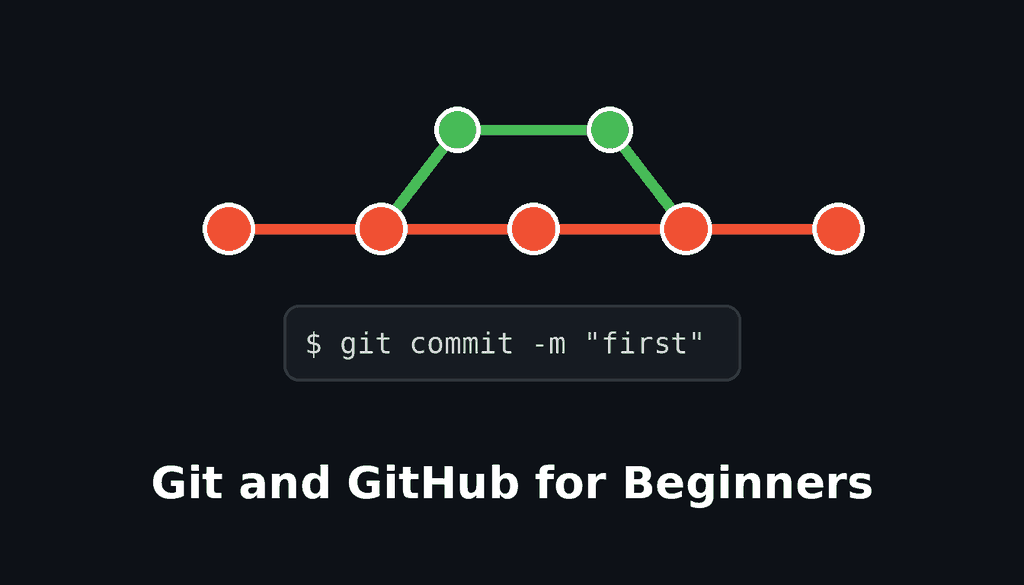
- Branch: a separate line of work, so you can try something without breaking the main version.
- Merge: combining a branch back into another.
- Remote: a copy of the repo somewhere else, such as on GitHub.
- Push / pull: sending your commits to the remote, or getting new commits from it.
- Clone: downloading a copy of a remote repo to your computer.
Step 1: Install Git
- Windows: download Git from git-scm.com and run the installer (the default options are fine for most people). It includes Git Bash, a terminal for running Git commands.
- macOS: open Terminal and type
git --version. If Git isn’t installed, macOS will offer to install the developer tools. You can also install it with Homebrew. - Linux: install it with your package manager, for example
sudo apt install git.
Check it worked:
git --versionStep 2: Tell Git who you are
Git attaches your name and email to every commit. Set them once:
git config --global user.name "Your Name"
git config --global user.email "you@example.com"
git config --global init.defaultBranch main
The last line names your first branch main, which matches GitHub’s default.
Step 3: Create your first repository
Make a project folder, move into it and start tracking it with Git:
mkdir my-website
cd my-website
git init
Create a file, for example index.html. If you need something to put in it, my HTML and CSS for beginners guide has a starter page.
Step 4: The everyday workflow
Git’s basic cycle is edit, stage, commit.
git status                 # see what has changed
git add index.html         # stage one file
git add .                  # or stage everything
git commit -m "Add home page"
git log --oneline          # see your history
git statusis your best friend. Run it often.- Staging (
git add) lets you choose exactly which changes go into the next commit. - Commit messages should say what changed and why, in a few words: “Fix mobile menu”, not “stuff”.
Step 5: Ignore files you don’t want tracked
Create a file called .gitignore listing files and folders Git should ignore, such as:
node_modules/
.venv/
.env
*.log
Never commit passwords, API keys or other secrets. Keep them in a file like .env and add it to .gitignore. If a secret is ever pushed to GitHub, change (rotate) it immediately, because deleting the file later doesn’t remove it from history.
Step 6: Undo mistakes
git restore index.html          # discard unstaged changes to a file
git restore --staged index.html # unstage a file
git revert <commit-id>          # create a new commit that undoes an old one
git revert is the safe way to undo something that’s already been shared, because it doesn’t rewrite history.
Step 7: Work with branches
Branches let you build a feature without touching your working version:
git switch -c new-header   # create a branch and switch to it
# ...edit files, add and commit...
git switch main            # go back to main
git merge new-header       # bring the changes into main
git branch -d new-header   # delete the finished branch
If Git reports a merge conflict, it means both branches changed the same lines. Open the file, choose the right version between the <<<<<<< and >>>>>>> markers, save, then git add and git commit.
Step 8: Put your project on GitHub
- Create a free account at github.com.
- Click New repository, give it a name, choose public or private, and create it (leave “Add a README” unticked if your project already exists locally).
- Connect your local repo and push:
git remote add origin https://github.com/your-username/my-website.git
git push -u origin main
GitHub doesn’t accept your account password for Git over HTTPS. When asked to sign in, use the browser sign-in that Git for Windows and GitHub Desktop offer, the GitHub CLI (gh auth login), a personal access token, or set up an SSH key.
From then on, the cycle is:
git add .
git commit -m "Describe the change"
git push
Step 9: Clone and pull
To work on an existing project:
git clone https://github.com/username/project.git
cd project
git pull        # get the latest changes before you start work
Step 10: Collaborate with pull requests
On GitHub, a pull request proposes merging one branch into another. Teammates can review the changes, comment and approve before merging. Even working alone, pull requests are a good habit for keeping a clear record of changes.
Prefer a visual tool?
You don’t have to use the command line. GitHub Desktop, Visual Studio Code’s built-in Source Control panel and other Git apps let you stage, commit, branch and push with buttons. I’d still learn the basic commands, because they help you understand what the buttons do.
Git cheat sheet
| Task | Command |
|---|---|
| Start tracking a folder | git init |
| Check what changed | git status |
| Stage changes | git add . |
| Save a snapshot | git commit -m "message" |
| See history | git log --oneline |
| Create and switch branch | git switch -c name |
| Merge a branch | git merge name |
| Upload to GitHub | git push |
| Download latest changes | git pull |
| Copy a repo | git clone URL |
Frequently asked questions
Is Git hard to learn? The everyday commands (status, add, commit, push, pull) take an afternoon to learn. Branching and resolving conflicts take a bit more practice.
Is GitHub free? Yes, for public and private repositories with core features. Paid plans add extra features for teams and organisations.
Do I need Git for WordPress or web design? It’s not required, but it’s very useful for themes, plugins and custom code, and many hosts can deploy straight from a Git repository.
What’s the best way to learn Git properly? The free Pro Git book on git-scm.com is the official, thorough guide. Read the first three chapters after this article.
Related guides on WebTechHelp
- JavaScript for beginners
- Python for beginners
- Website security checklist
- Angular or React: which JS framework to choose?