
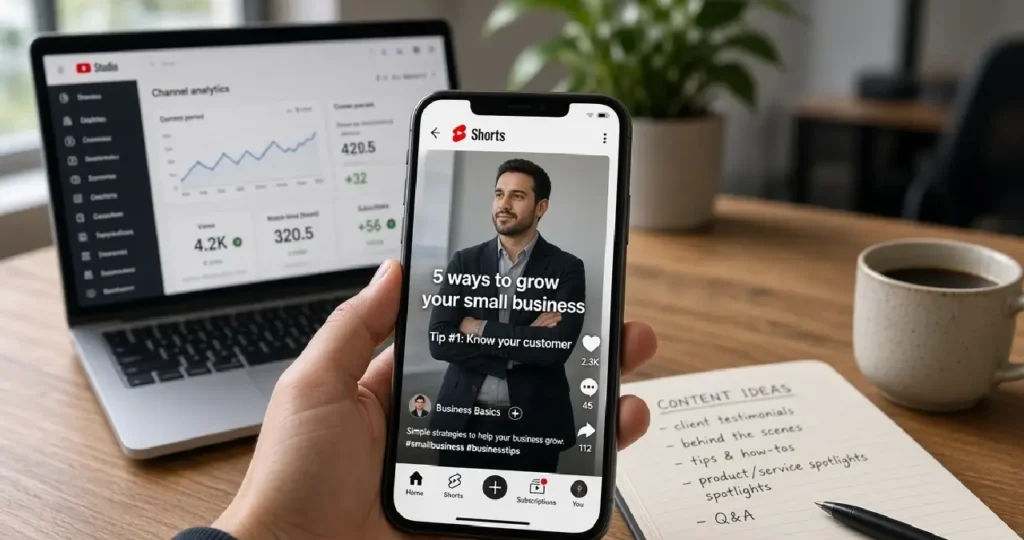
Short vertical video is now part of almost every social platform: Instagram Reels, Facebook Reels, TikTok (where available), and YouTube Shorts. For businesses, Shorts has one big advantage over the others: it sits inside YouTube, the world’s biggest video search engine, so a viewer who likes your Short is one tap away from your longer videos, your channel, and your website.
I see many small businesses ignore YouTube because they think it needs expensive, polished videos. Shorts lowers that barrier. In this guide, I’ll explain how to use Shorts as a business, what to post, and how to measure whether it’s working.
If you also want your longer videos to rank, read my YouTube SEO guide.
What are YouTube Shorts?
According to YouTube’s help centre:
- Shorts are vertical videos up to 3 minutes long.
- You can record them in the YouTube app with the Shorts camera, or upload vertical videos from your phone or computer.
- Titles can be up to 100 characters, and Shorts can be uploaded at up to 1080p.
Shorts appear in the Shorts feed (a swipeable feed like Reels), on your channel’s Shorts tab, in search results, and on the YouTube home page.
Why Shorts work for businesses
- Discovery: the Shorts feed shows your videos to people who don’t follow you yet.
- Low production cost: a phone, natural light, and a clear idea are enough.
- Search plus social: Shorts can surface in YouTube and Google search, not just in a feed.
- Funnel to long-form: you can link a Short to one of your longer videos, which often converts better.
- Repurposing: the same vertical video can go on Instagram Reels and Facebook Reels, multiplying the value of each recording. My Instagram marketing guide covers Reels.
Step 1: Set up your channel properly
Before posting, make the channel look like a real business:
- Channel name and handle matching your brand
- Profile picture (logo) and banner with what you do
- Clear description with keywords, location if local, and your website
- Links to your website and WhatsApp or contact page
- A channel trailer or a pinned video explaining who you help
Step 2: Choose content ideas that fit your business
The best Shorts answer one question or show one thing quickly. Ideas that work for most businesses:
| Content type | Example |
|---|---|
| Quick tips | “3 signs your website is too slow” |
| Before and after | A room renovation, a website redesign, a haircut |
| Behind the scenes | How an order is packed, a day in the office |
| FAQ answers | Answer one customer question per Short |
| Product demos | Show one feature or use case in 30 seconds |
| Myths vs facts | “Do you need 1,000 followers to sell online? No.” |
| Customer stories | A short testimonial (with permission) |
| Clips from long videos | The best 30–60 seconds of a longer tutorial |
Pick two or three formats and repeat them. Consistency helps viewers recognise your style.
Step 3: Make Shorts people watch
- Hook in the first one or two seconds. Start with the result, a bold statement or a question. No logo intros.
- One idea per Short. If you need more time, make a series or a long video.
- Film vertically and keep important text away from the edges, where buttons and captions cover the screen.
- Add on-screen text and captions. Many people watch without sound.
- Use good light and clear audio. A cheap clip-on microphone makes a big difference.
- End with a reason to do something: watch the full video, visit the website, follow for part two.
- Use only music you’re allowed to use. The YouTube Shorts audio library is the safe option.
Step 4: Optimise each Short for search
Shorts are discovered mainly through the feed, but search still matters:
- Write a clear, keyword-rich title that says what the viewer will learn (“How to clean a laptop keyboard safely”).
- Add a short description with context and, where relevant, a link.
- Use a couple of relevant hashtags, such as
#shortsplus a topic hashtag. - Use the related video feature to link the Short to one of your long-form videos.
- Group Shorts into playlists by topic.
Step 5: Post consistently and learn from analytics
There’s no magic posting frequency. For most small businesses, two to four Shorts a week is sustainable and enough to learn what works.
In YouTube Studio, check for each Short:
- Views and “Shown in feed” vs “Chose to view”: whether people stopped swiping
- Average view duration and percentage viewed: whether the hook and pacing work
- Subscribers gained
- Traffic to your long videos and website (use UTM-tagged links where links are allowed, and check Google Analytics 4)
If a Short does well, make more on the same topic in a slightly different way.
Can businesses earn from Shorts?
Some creators earn from Shorts through the YouTube Partner Program, which requires 1,000 subscribers plus 10 million valid public Shorts views in the last 90 days (or the long-form watch-hours route). For most businesses, though, the real return is leads and sales, not ad revenue. Treat Shorts as a marketing channel first.
Common Shorts mistakes
- Uploading horizontal videos with black bars.
- Slow intros and long logo animations.
- Posting only sales messages.
- Using copyrighted music without permission.
- Giving up after a handful of uploads.
- Never linking Shorts to longer videos or the website.
Frequently asked questions
Up to 3 minutes is allowed, but shorter is usually better for business tips: 20–60 seconds is a good starting range. Make it as long as the idea needs, and no longer.
Yes. Remove other platforms’ watermarks before uploading, because they look unprofessional.
They can. Linking a Short to a related long video and building a consistent topic helps viewers find your deeper content.
No. Screen recordings, product close-ups, hands-on demos, and voiceovers work well too.
Related guides on WebTechHelp
- YouTube SEO guide
- Instagram marketing for beginners
- Social media marketing for beginners
- Content marketing guide
- Facebook ads for beginners
Sources
- YouTube Help: Get started creating YouTube Shorts
- YouTube Help: YouTube Partner Program overview and eligibility