
Laravel Voyager was one of the most popular admin panels for Laravel. With one Composer command you got a back end with user management, a media manager, a menu builder and a visual CRUD tool. This guide was first written in 2018, when Voyager was the obvious choice.
A lot has changed since then. In this updated guide I’ll explain Voyager’s current status, how to install it if you still need it, what it can do, and which alternatives I’d consider for a new project.
Is Laravel Voyager still maintained?
Short answer: the original Voyager is no longer maintained.
- The official GitHub repository, thedevdojo/voyager, was archived on 7 February 2025 and is now read-only. Its README says it can still be used but will not receive updates.
- On Packagist, the tcg/voyager package is marked abandoned. Its last release, v1.8.0, came out in September 2024 and supports up to Laravel 11 on PHP 8.2–8.3.
- Laravel 11’s security support ended on 12 March 2026, so a project still on Laravel 11 with the original Voyager is running on unsupported software.
There is a community fork, sineld/voyager, which describes itself as a maintained version for Laravel 12 and 13 on PHP 8.4 and later, and fixes features that broke in newer Laravel releases. It keeps the same TCG\Voyager namespace, so it works as a drop-in replacement. It’s maintained by an individual developer rather than the original team, so review it before relying on it in production.
What Voyager does
Voyager adds a ready-made admin panel at /admin, including:
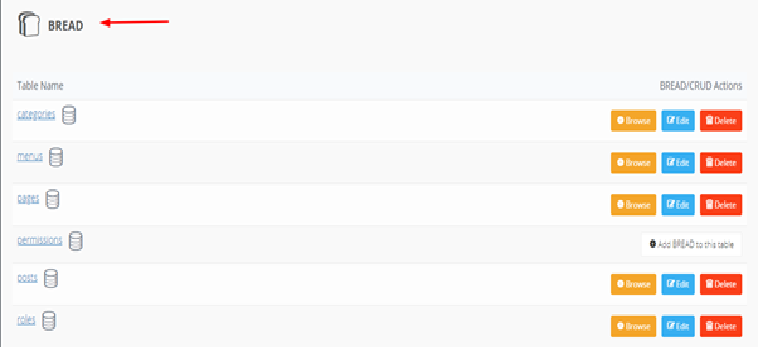
- BREAD builder (Browse, Read, Edit, Add, Delete): create admin screens for any database table without writing CRUD code
- Media manager for uploading and organising files, with local and S3 storage
- Menu builder with drag-and-drop ordering
- Users, roles and permissions
- Database manager for creating and editing tables from the browser
- Site settings such as title, description and logo
How to install Laravel Voyager
Option A: maintained fork (Laravel 12 or 13)
This is the route I’d take if you need Voyager on a current Laravel version.
Step 1. Create or open a Laravel project and configure your database in the .env file (DB_DATABASE, DB_USERNAME, DB_PASSWORD).
Step 2. Install the package:
composer require sineld/voyagerStep 3. Run the installer (add --with-dummy if you want sample content):
php artisan voyager:installStep 4. Create an admin user:
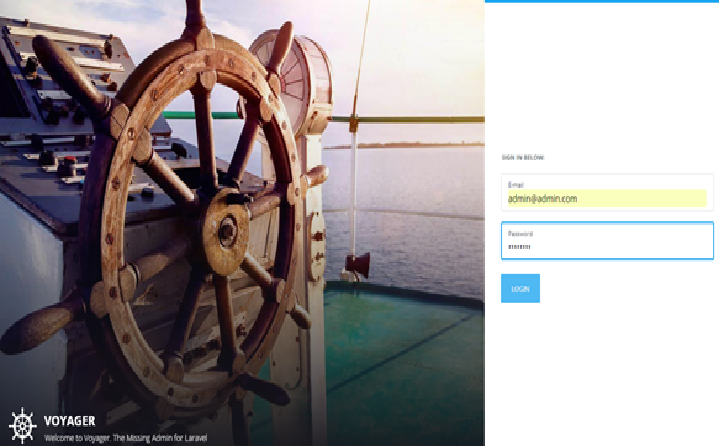
php artisan voyager:admin you@example.com --createStep 5. Open https://your-site.test/admin and sign in.
If you’re moving an existing project from the original package, the fork’s README says you can run composer remove tcg/voyager and then composer require sineld/voyager. Delete resources/views/vendor/voyager if you previously published Voyager’s views.
Option B: original package (legacy projects only)
For an older project that already runs Laravel 8–11, the original package still installs:
composer require tcg/voyager
php artisan voyager:install
php artisan voyager:admin you@example.com --create
You don’t need to register the service provider manually on modern Laravel versions, because package auto-discovery handles it. I’d treat this option as a stopgap while you plan an upgrade.
Using the BREAD builder
Once you’re signed in:
- Go to Tools → BREAD.
- Find your table and click Add BREAD.
- Choose which fields appear on the browse, read, edit and add screens, and pick the input type for each (text, image, select and so on).
- Save. A new menu item appears for managing that table.
Security tips if you use Voyager
- Never keep demo credentials. The dummy install creates sample data, so always create your own admin account and remove any default users.
- Restrict the database manager to trusted administrators, or disable it in production. It can change your schema from the browser.
- Keep Laravel and PHP on supported versions. An admin panel is a high-value target.
- Limit who can reach
/admin, for example with IP restrictions or two-factor authentication.
My guide to securing PHP code with static analysis is a good next step for hardening the rest of your app.
Best Laravel Voyager alternatives
For a new project in 2026, I’d look at these instead:
| Admin panel | Licence | Good for |
|---|---|---|
| Filament | Free, open source | Most new projects; large community, built on Livewire |
| Backpack for Laravel | Open core (free tier plus paid add-ons) | Teams wanting a mature, Bootstrap-based CRUD panel |
| Laravel Nova | Paid (official Laravel product) | Teams who prefer an official, supported product |
Voyager’s own archived README points users to modern options including FilamentPHP. Installing a Filament panel takes two commands, plus one to create a user:
composer require filament/filament:"^5.0"
php artisan filament:install --panels
php artisan make:filament-user
Filament 5 needs PHP 8.2+ and Laravel 11.28 or later.
Should you still use Voyager?
My honest recommendation:
- New project: use Filament (or Backpack or Nova if they suit you better). They’re actively developed and support current Laravel releases.
- Existing Voyager project: if it works, switch to the maintained fork so you can upgrade Laravel, then plan a gradual move to an actively developed panel.
- Learning Laravel: Voyager is still a nice way to see what an admin panel does, but learn Filament if you want skills that last.
If you’re still choosing a framework, my comparisons of CodeIgniter and C# vs PHP development may help.
Frequently asked questions
Does Laravel Voyager support Laravel 12? The original tcg/voyager doesn’t; it stopped at Laravel 11. The community fork sineld/voyager supports Laravel 12 and 13.
What is the default Voyager admin login? With the dummy data install, Voyager creates a sample admin account. Don’t use it: create your own with php artisan voyager:admin you@example.com --create and delete the sample user.
What does BREAD mean in Voyager? Browse, Read, Edit, Add and Delete: Voyager’s version of CRUD.
What is the best free Laravel admin panel? For most new projects in 2026, Filament.
Related guides on WebTechHelp
- Which is the most useful API development tutorial?
- Why custom WordPress development is the best choice for business
- 5 advantages of API testing
Sources
- GitHub: thedevdojo/voyager (archived)
- Packagist: tcg/voyager
- GitHub: sineld/voyager, maintained fork
- Laravel: Release notes and support policy
- Filament: Installation
- Backpack for Laravel: A decade of Laravel admin panels: what survived and why