Spending time in front of a monitor for long hours and facing technical glitches seems irritating, doesn’t it? One of such widespread issues with a poorly understandable reason is the computer screen shadow problem.
While users prefer stunning visuals with no distortion, this type of screen shadow lingering on the screen is really erratic, hampering user productivity and also detrimental to eyesight. Here in the blog, let’s have a look at what causes the Computer Screen Shadow Problem, how to identify it, the troubleshooting process to fix it, and much more.
What Is the Computer Screen Shadow Problem?
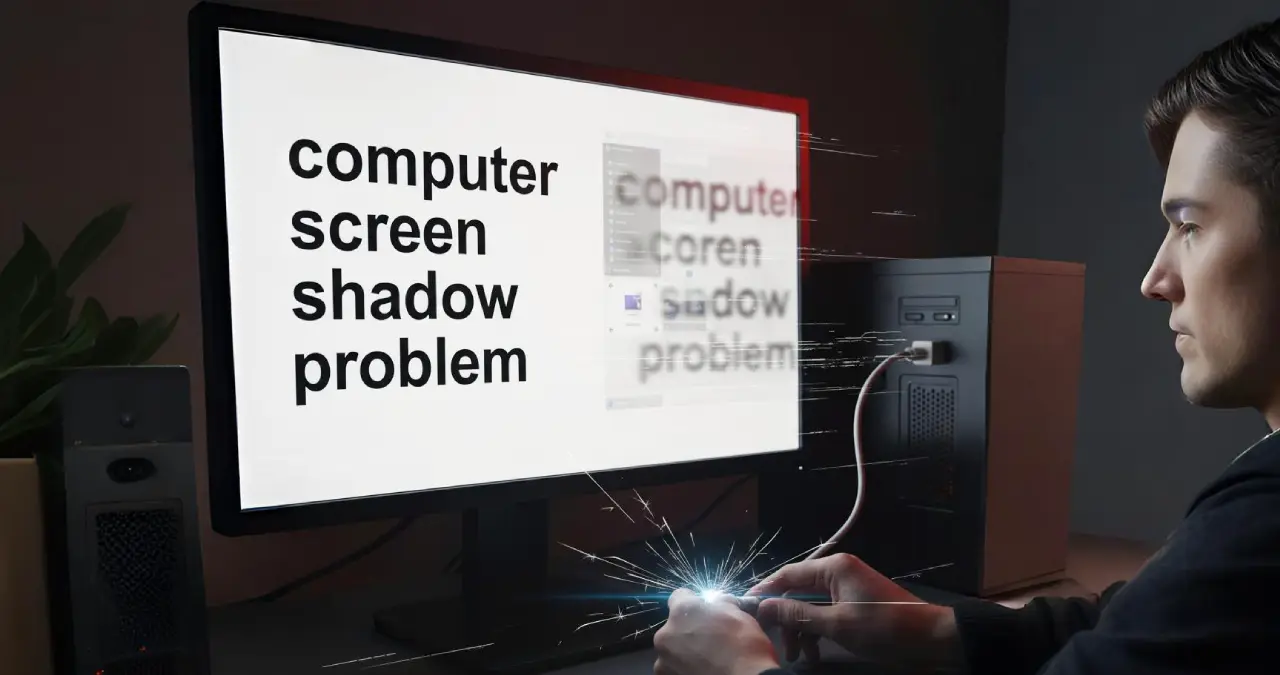
The computer screen shadow problem is a serious issue with the computer display, while faint duplicates linger on the screen, displaying a shadow of text, and also graphic distortion vividly appears on the screen.
The issue becomes more prominent when the screen shows a higher contrast image, making it look like a ghosting effect. While some believe software issues are the cause behind the shadow problem, many people also thought a hardware glitch associated with the display issue stems from the monitor’s age, bad cables, and also setting issues with the display.
Technical causes also include graphics card issues and problems with the display panel. Meanwhile, it causes an overall shortcoming of the viewing experience, minimizing the overall display clarity.
Common Causes behind
There are myriad reasons responsible for the computer screen shadow problem. One of the prominent causes is loose or damaged video cables. The refresh rate of your monitor, which is not properly set, is also a cause. Obsolete graphics drivers and Electromagnetic interference are also intertwined with the shadow problem on the screen. Last but not least, using a monitor for a long time produces a shadowing and ghosting effect.
General Indicators and Symptoms
Some visual anomalies appear on the desktop screen that including the appearance of repeated images lingering on screen is the most frequently seen abnormality. Sometimes, while seeing movies and scrolling through documents, blurred forms of text are visible. The monitor display also shows a fixed shadow of previously opened icons, despite them being completely closed. These are the indicators that exemplify the visual anomaly during the computer screen shadow problem.
Stepwise process to fix it
Quick fixes for the shadow problem
You can try some quick fixes to resolve the computer screen shadow problem. Here I mention a list of quick fixes below
Check for damage to the screen, which may be bent or have dents. This type of damage can cause the screen to appear uneven or dark. You run the troubleshooter of your device first to resolve this easily at the earliest.
The wrong setting of your computer also leads to a shadow effect on your screen. Adjusting contrast and brightness helps you to check whether the show problem exists in your device or just goes away.
Cables and Connections checking
Any broken or loose cable sometimes renders a shadow issue on the screen. It must be ensured that all cables are tightly plugged in. Try with a new cable if the existing cable is causing interference, showing a dark shadow. Cross-check all your ports within your system to verify if any dust particles exist or not that are blocking the connection. If found, cleaning the port in a proper manner is appropriate to help fix the shadow problem.
System and drivers update
Obsolete graphics drivers sometimes pose display issues that need updating the driver to make the graphics card function better than earlier and help to recover the shadow problem in your screen. At first, you need to go to Device Manager to identify the update requirements. After the driver updates, bugs are fixed, and the display issue is resolved. Restart the computer in safe mode, and after the boot, choose a resolution of 1280 x 1024 as a preferred display setting sometimes helps to make your shadow issue go away.
Clean the screen
Cleaning the screen properly helps you to remove the shadow problem on your screen, both for laptop and desktop users. Avoid mineral exposure to the screen, which must be present in normal water to cause screen scratches. You must use distilled water for screen cleaning. Never spray your screen directly, as it is interwoven with moisture damage. Microfiber cloths are ideal for screen cleaning with no damage from lint and scratches.
Run the Pixel Refresher tool
Using a tool like Pixel Refresher fixes the screen issue of your laptop and desktop by lowering the overall image persistence and burn-in issues of your desktop screen.
When to get in touch with a professional
If you follow the basic troubleshooting steps and follow the quick fix to mitigate the issue happening on your screen, you just need to contact professionals to resolve the shadow problem. It is noteworthy that tearing the monitor by yourself may cause electrocution or even render the warranty claim null and void.
Contacting professionals assists you in resolving the issue as the person knows the exact means and approach to tackle any hardware issues that are hard for you to deal with especially for screen shadow problems.
How to Determine when to Repair or Replace Hardware
| Issue | Recommendation for repair | Recommendation for replacement |
| Damage to the port or minor disputes over the cable | Yes | No |
| Screen burn | No | Yes |
| Overheating issue with the GPU | Yes, if it came under warranty | If the issue persists, then replacement is the only solution |
| Faulty panel of the monitor | No | Yes |
| Flickering issue on the screen due to the cable being loose | Yes | No |
How is it detrimental to eyesight?
Staring at the computer screen while having a Screen Shadow Problem is detrimental to your eyesight, posing significant strain on both of your eyes. Human eyes cannot keep unwavering focus on a screen having ghosting and blurred images.
Staring at such a screen can also cause headaches, eye fatigue, and make your eyes feel dry. If you still have issues with computer screen shadow problems, all you need is to consult with an ophthalmologist to verify whether the screen issue is posing any serious strain to your eyes or not.
Comparison between Temporary vs. Permanent Shadows
| Type | Duration | Fixable? | Ways to Fix |
| Image Persistence | Temporary | ✔ | Pixel refresh |
| Screen Burn-In | Permanent | ✗ | Replace panel |
| Ghosting | Temporary | ✔ | Increase Hz |
Final thought
In a nutshell, the shadow problem on the computer screen looks worrisome, but having the right attitude by following the early troubleshooting steps and contacting professional help to fix the issues. Taking the necessary steps and following the proper monitor setup helps to prevent the issues from recurring in the future.
Frequently asked questions
Not always. Actually, the temporary issues for image ration are resolved by the pixel refreshing tool or by keeping the display turned off for a few hours.
Yes, definitely, outdated drivers of the GPU can lead to ghosting shadows on the computer screen.
You can either contact a technical professional or just go for the replacement of the display panel.
OLED panels are more vulnerable in comparison to LCD panels for the burn-in issue, as it is linked with the degradation of organic material.