
You can spend months on SEO or thousands on ads, but if the page people land on doesn’t convince them, most of that effort is wasted. A landing page is where marketing turns into money.
The encouraging part is that landing page improvements are often the cheapest growth you can find. Doubling your conversion rate has the same effect as doubling your traffic, without paying for a single extra click. In this guide I’ll share the structure and checklist I use when reviewing landing pages for my own business and clients.
What is a landing page?
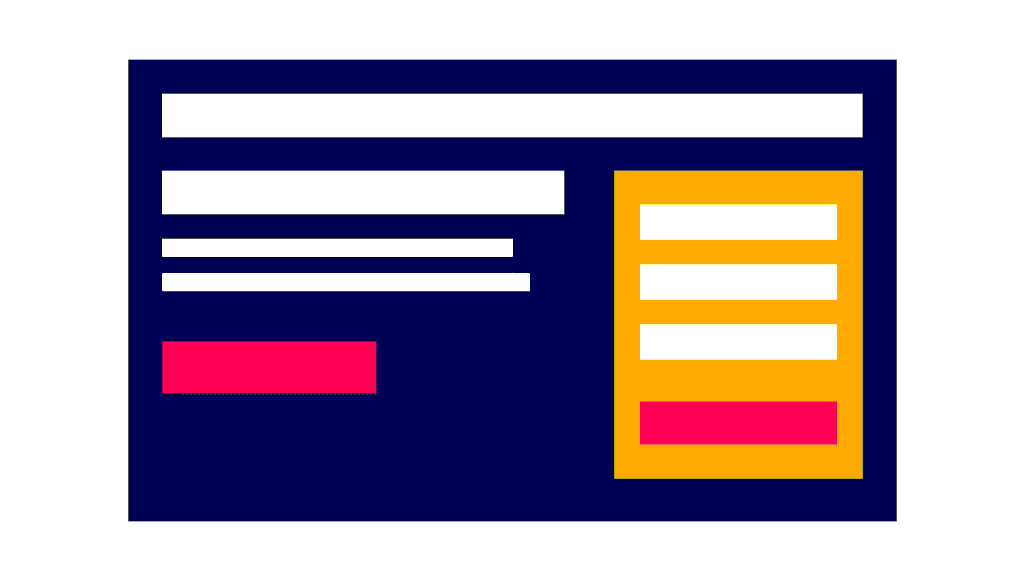
A landing page is a page built for one specific goal: book a call, download a guide, start a trial, buy a product or send an enquiry. Unlike your homepage, which has to serve everyone, a landing page speaks to one audience about one offer.
Typical traffic sources are Google Ads, Facebook and Instagram ads, email campaigns and social posts. Many service pages and product pages that rank in search act as landing pages too.
What’s a good conversion rate?
It depends heavily on your industry, offer and traffic source. For context, Unbounce’s analysis of tens of thousands of landing pages put the median conversion rate across industries at about 6.6%. A free guide converts far better than a high-ticket purchase, and warm email traffic converts better than cold social traffic.
Don’t chase someone else’s number. Measure your own baseline, then improve it.
The anatomy of a high-converting landing page
1. A headline that matches the ad
The visitor clicked because of a promise. The headline should repeat that promise in clear words. If your ad says “Free SEO audit for Kolkata businesses”, your headline shouldn’t say “Welcome to our digital agency”.
Google Ads even measures this: landing page experience is part of Quality Score and considers whether your page is relevant to the ad and the search.
2. A clear value proposition
Right under the headline, answer three questions in a sentence or two:
- What is it?
- Who is it for?
- Why is it better than the alternatives?
3. One primary call-to-action
Pick one action and make it obvious: a contrasting button with specific text like “Get my free quote” rather than “Submit”. Repeat the same CTA lower down on longer pages. Remove distractions, including your main navigation menu, where it makes sense. Fewer exits mean more conversions.
4. Supporting content that answers objections
Think about what stops people from saying yes, and answer it:
- Benefits, not just features
- How it works in three or four steps
- Pricing or what it costs (or at least “from” pricing)
- FAQs about delivery, contracts, refunds or timelines
5. Trust signals
People need reasons to believe you:
- Real customer reviews and testimonials (with names and photos where permitted)
- Client logos and case studies with numbers
- Certifications, awards or media mentions
- Clear contact details and a physical address for local businesses
- Security badges near payment forms
Never invent reviews. Fake testimonials damage trust and can break consumer protection laws.
6. A short, friendly form
Every extra field adds friction. Ask only for what you need right now: often name, email or phone, and one qualifying question. You can collect more later. HubSpot’s analysis of more than 40,000 landing pages found conversion rates tend to fall as the number of form fields rises.
7. Visuals that show the result
Use real photos of your product, team or work, or a short video. Stock photos of people shaking hands rarely persuade anyone.
Speed and mobile: the silent conversion killers
Most visitors from social ads are on phones, often on slower connections. If your page takes too long to load, they’ll leave before reading your headline.
- Compress images and use modern formats like WebP.
- Avoid heavy sliders, pop-ups that block content on mobile and too many scripts.
- Check your Core Web Vitals, and on WordPress follow my guide to speeding up WordPress.
- Test the page on a real phone: tap the buttons, fill in the form and check the thank-you page.
How to measure landing page performance
Before changing anything, set up tracking:
- Define the conversion (form submit, call click, purchase).
- Track it in Google Analytics 4 as a key event. My GA4 tutorial explains how, and Google Tag Manager makes form and click tracking easier.
- Pass conversions to your ad platforms (Google Ads conversion tracking, Meta Pixel and Conversions API) so they can optimise.
- Use UTM parameters to separate traffic sources.
- Watch behaviour with a heatmap or session recording tool such as Microsoft Clarity to see where people stop scrolling or get stuck.
How to A/B test landing pages
A/B testing means showing two versions of a page to similar visitors and comparing results.
- Test one big idea at a time: a new headline, a different offer, a shorter form or a new layout. Button colour tests rarely matter.
- Wait for enough data. With small traffic, a test can take weeks. If you get only a handful of conversions a week, focus on obvious best-practice fixes instead of formal tests.
- Run tests for full weeks to smooth out weekday and weekend differences.
- Keep a log of what you tested and what you learned.
Many landing page builders (such as Unbounce, Leadpages and some WordPress page builders) include A/B testing. Google Ads also offers experiments for testing landing pages against each other.
Landing page optimisation checklist
- Headline matches the ad or search intent
- Value proposition is clear within five seconds
- One primary CTA with specific button text
- Navigation and distractions minimised
- Benefits, process, pricing and FAQs answer objections
- Real reviews and trust signals near the CTA
- Form asks only for essentials
- Page loads fast and works well on mobile
- Conversion tracking tested end to end
- Thank-you page sets next steps
Frequently asked questions
Should a landing page be long or short? It depends on the decision. A free download can work with a short page; an expensive service usually needs more detail to answer objections. Match length to the level of commitment.
Can my homepage be a landing page? It can, but a dedicated page for each campaign or audience usually converts better because the message is more specific.
Do landing pages need SEO? Pages built only for paid ads are sometimes set to noindex. Service and product pages that should rank need normal on-page SEO. See my on-page SEO checklist.
What tools do I need to build landing pages? On WordPress, the block editor or a page builder is enough to start. Dedicated landing page builders add templates, testing and integrations.
Related guides on WebTechHelp
- Facebook ads for beginners
- Google Ads for beginners
- Google Analytics 4 tutorial
- How to improve Core Web Vitals
- Content marketing guide
Sources
- Unbounce: Average conversion rates for landing pages
- HubSpot: Which types of form fields lower landing page conversions?
- Google Search Ads 360 Help: Landing page experience
- ClickMinded: Landing page statistics and benchmarks