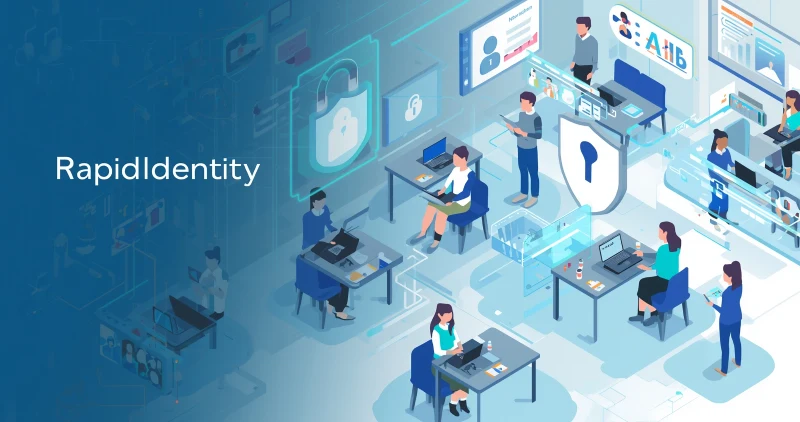
Do you not think that schools or educational institutions need to enhance data security to safeguard data? In schools and universities, identity management has become a necessity. Meanwhile, it is vital to safeguard the digital identities and data privacy of users. So, frankly speaking, RapidIdentity is a cloud-based platform for Identity and Access Management, playing a crucial role in the ed-tech ecosystem.
Among the available tools for Identity and Access Management, RapidIdentity captures the attention of the audience by providing users with secure login options to keep the data safe. Let’s have a look at how the platform works, and how to become a popular name in the educational institutes.
What is RapidIdentity?
RapidIdentity is a platform for identity and access management (IAM) that provides centralized control over user data. Moreover, it helps navigate user information by ensuring proper authentication and data access. This platform meets the needs of ed-tech institutions that have frequent changes in user turnover and role transitions.
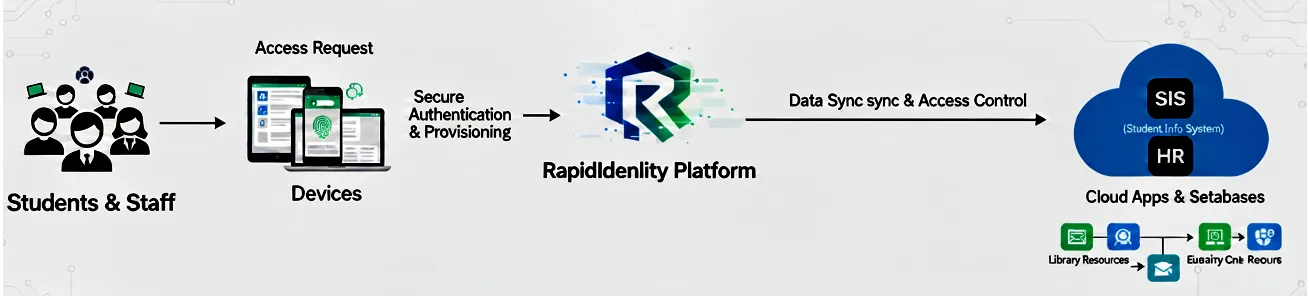
The connection between Student Information Systems (SIS) and human resource databases provides complete control over the user data. So it helps to keep management of every precise record for user permission info and identity alike. Additionally, it performs as a bridge for coordination, which gives people proper access to the system they need and also erases accounts when no longer needed.
Who developed RapidIdentity?
Kudos to the developer working at Identity Automation, that located in Houston, Texas, in the United States of America, for developing such an exclusive identity management product. Users trust RapidIdentity for tailoring the seamless IAM experience for higher education and K-12. Jamf acquired Identity Automation for $215.0 million in the year 2025.
The design benefits of RapidIdentity
RapidIdentity gives some benefits to its users due to its innovative design

- It helps to make user authentication by dint of multifactor-based authentication (MFA) and single sign-on (SSO)
- Data synchronization ensures the connectivity between the HR system and the student information system (SIS) to minimize the slate or duplicate records in the database.
- It also assists in user lifecycle management by helping with account creation, modification, and removal when necessary.
Simply speaking, it helps users to adjust or revoke the usage in the ever-evolving educational landscape. So you can see how RapidIdentity offers users access governance, identity management lifecycle, data management, threat detection, followed by authentication.
Key Features of RapidIdentity
The key standout features of RapidIdentity are as follows
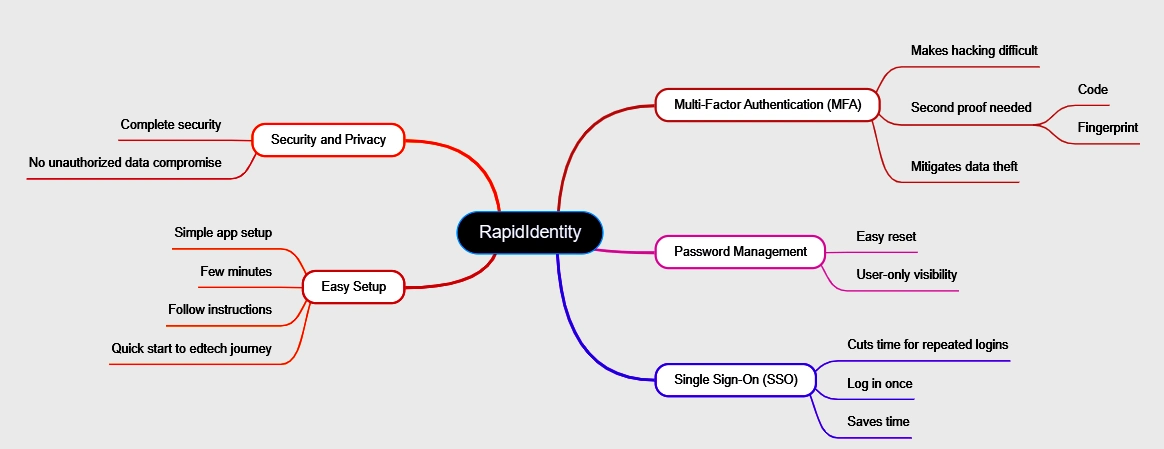
- Multi-Factor Authentication (MFA): Multi-factor authentication makes hacking difficult, even if a cyber criminal guesses your password. The hacker got stuck on the second proof when you enter the code or need a fingerprint for authentication. This extra security layer, led by RapidIdentity, helps to mitigate the issues of data from being theft.
- Password Management: The platform provides an option for password management. Even if you forget your password, you can easily reset it and set a new one to gain accessibility. No one else can see the password you set.
- Single Sign-On (SSO): RapidIdentity cuts the time needed for repeatedly submitting passwords through different websites to gain accessibility. You just need to log in once, which saves the time consumed for multiple logins and logouts.
- Easy Setup: The app setup is simple. It just takes a few minutes if you follow the steps of instructions to start the edtech journey with the app quickly.
- Privacy: RapidIdentity provides complete security without rendering the data from being compromised by unauthorised access.
The mindmap above shows the key standout features of RapidIdentity in a visually appealing manner, showing its attributes like Multi-Factor Authentication (MFA), Password Management, Single Sign-On (SSO), Easy Setup, followed by Security and Privacy.
Why RapidIdentity follows the Zero-Trust model for security-Fact unfolded
RapidIdentity follows a Zero-Trust model for security, as this app by default trusts no device or no user. The platform follows a continuous verification process and maintains multifactor authentication to prevent any mishap of data breach from happening. So it can be stated that this approach is rational. Additionally, it is perfect for schools and universities with frequent user turnover and role transitions.
Where to download it
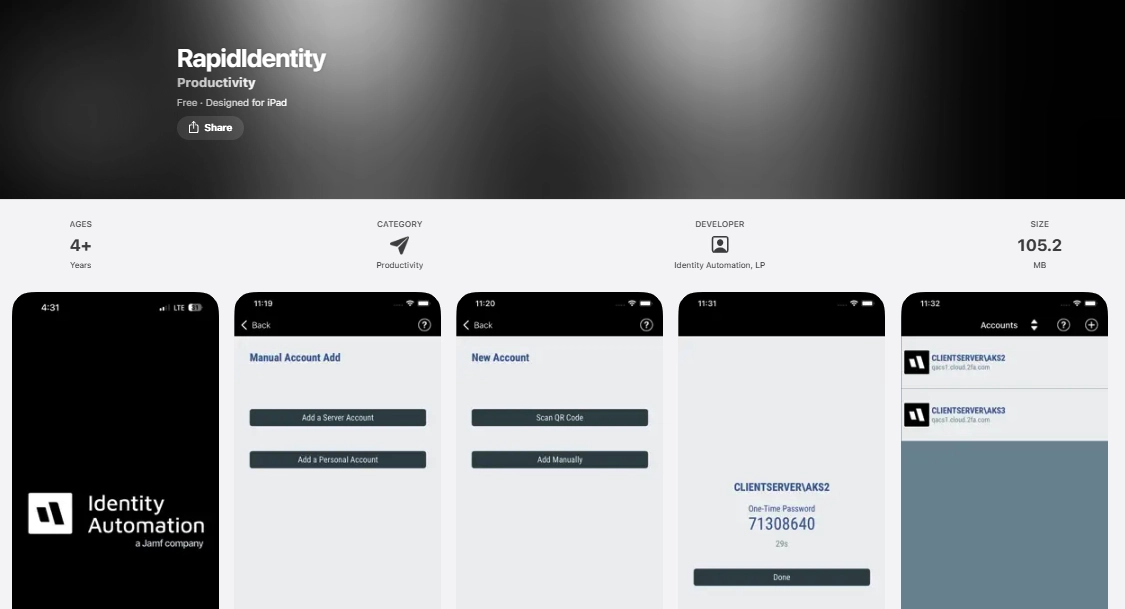
If you want to use RapidIdentity, you get the option for app download both in the Google Play Store and the Apple App Store easily. Just need to click on the install button and wait until it finishes downloading.
Strengths of RapidIdentity
- Effortlessly capable of handling role changes frequently seen in schools and universities
- Lower manual overload through automation by dint of SIS/HR
- Audit management made simple by its compliance management-driven reporting
Bottom line
In conclusion, you see how RapidIdentity is a platform that makes online accounts for users much safer with robust security options. It has an easy option for installation and a complete protection option for sensitive data. While security is 100% safe and reliable, teachers can put full focus on teaching, and students can keep their constant focus on learning, making the ed tech journey much simpler.
Frequently asked questions (FAQs)
The identification and access management software RapidIdentity assists an organization in managing digital identities through Multi-Factor Authentication (MFA) and Single Sign-On (SSO).
Healthcare, Government, mid-sized firm, and K-12 schools & universities are the key segments that benefit from RapidIdentity.